Modbus TCP gateway
Wieland Electric GmbH | BA000970 | 11/2016 (Rev. F)
Master mode: SP-COP2-ENI reads out/writes to PLC
Carry out the following steps to configure the gateway as a master:
Launch samosPLAN5+.
Change to the
view and click on the
tab.
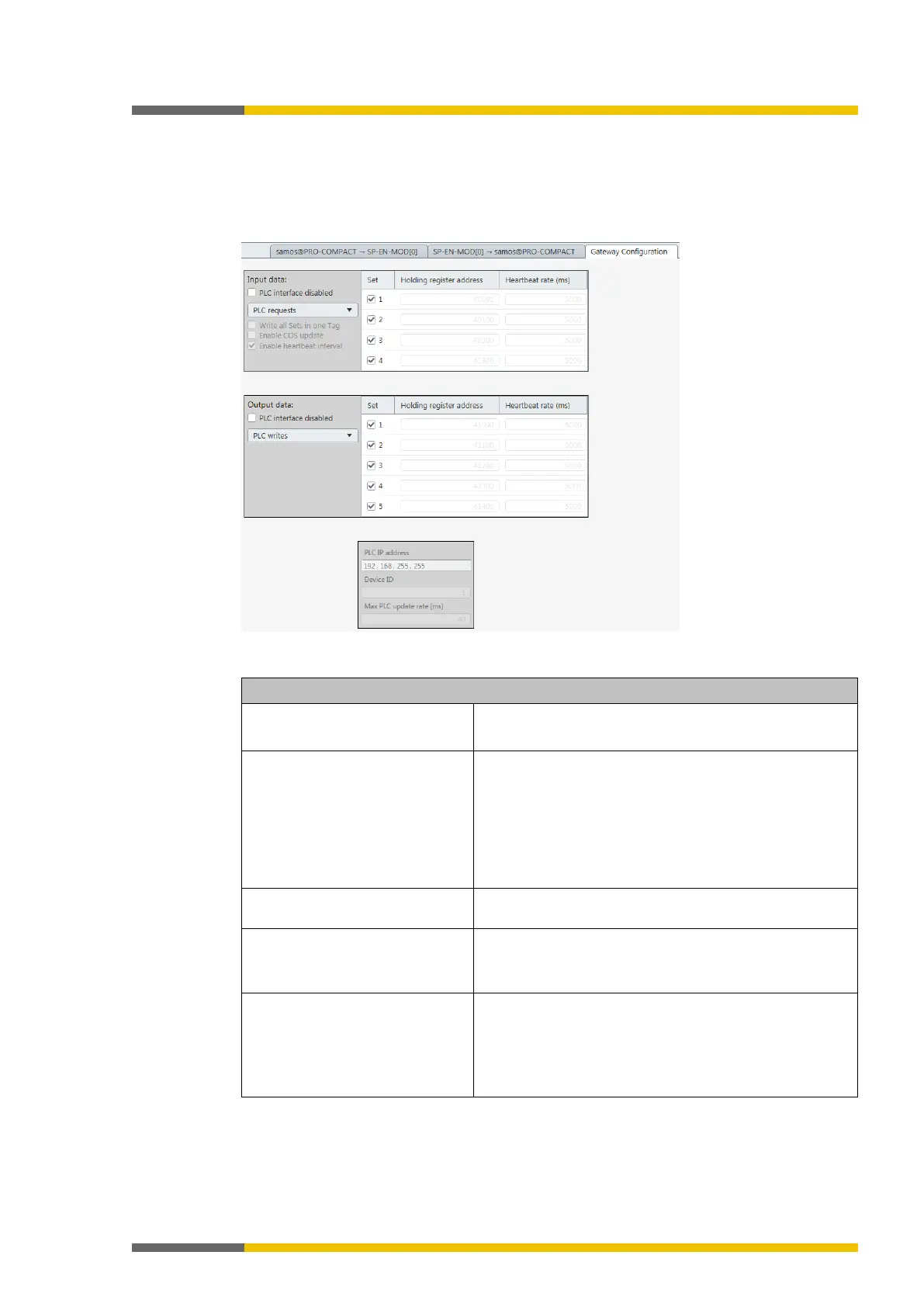
⇨ You will see the following configuration window:
Choose the following settings:
Table 21: Settings for samosPRO COMPACT -> network direction
Selection list Determines the transmission method.
Value: Gateway writes to tag/file
Column
Determines which data are to be written to the PLC or
read from it.
Mark the control boxes for the desired data sets for this
purpose.
You will find a detailed description of the data sets here:
Data transferred to the network (network input data sets)
[ch. 3.2, p. 18]
Column
Define from and to where in the PLC memory the selec-
ted data should be read and written.
Column
Defines how often the data sets are to be updated.
Requirement: You have selected the option
Activate
heartbeat interval (see below).
Optional
Defines that all data sets are to be written to a single
address in the PLC memory.
In this case the register address defined for Data Set 1



 To Next Page