Operation
7722−1/A1
Winterthur Gas & Diesel Ltd.
5/ 5
Table 2: Error Modes and Descriptions
Error Mode Error Description
1 DC-bus under-voltage No voltage available for the drive in X100 (power input).
2 Engine maximum speed exceeded Diesel engine speed is more than permitted.
3 Balancer maximum speed exceeded Electric motor speed is more than permitted.
4 Balancer BDC missing Balancer BDC not found. Sensor is defective, or has
become disconnected. Replace the defective sensor,
refer to the Maintenance Manual 7762−1.
5 Engine BDC missing Engine BDC not found. Sensor is defective, or has
become disconnected. Replace the defective sensor,
refer to the Maintenance Manual 7762−1.
6 Engine TDC missing Engine TDC not found. Sensor is defective, or has
become disconnected. Replace the defective sensor,
refer to the Maintenance Manual 7762−1.
7 Servo drive over-temperature Servo drive internal temperature too high
8 Emotor over-temperature Electric motor internal temperature too high
9 Brake resistor over-temperature Brake resistor internal temperature too high
10 Communication broken CAN communication between cabinets broken
11 No synchronisation with engine The synchronisation with the engine is not done in the
specified time
12 No synchronisation between the balancers The synchronisation between the balancers is not done
in the specified time
13 Starting exceeding maximum times The running state takes too long
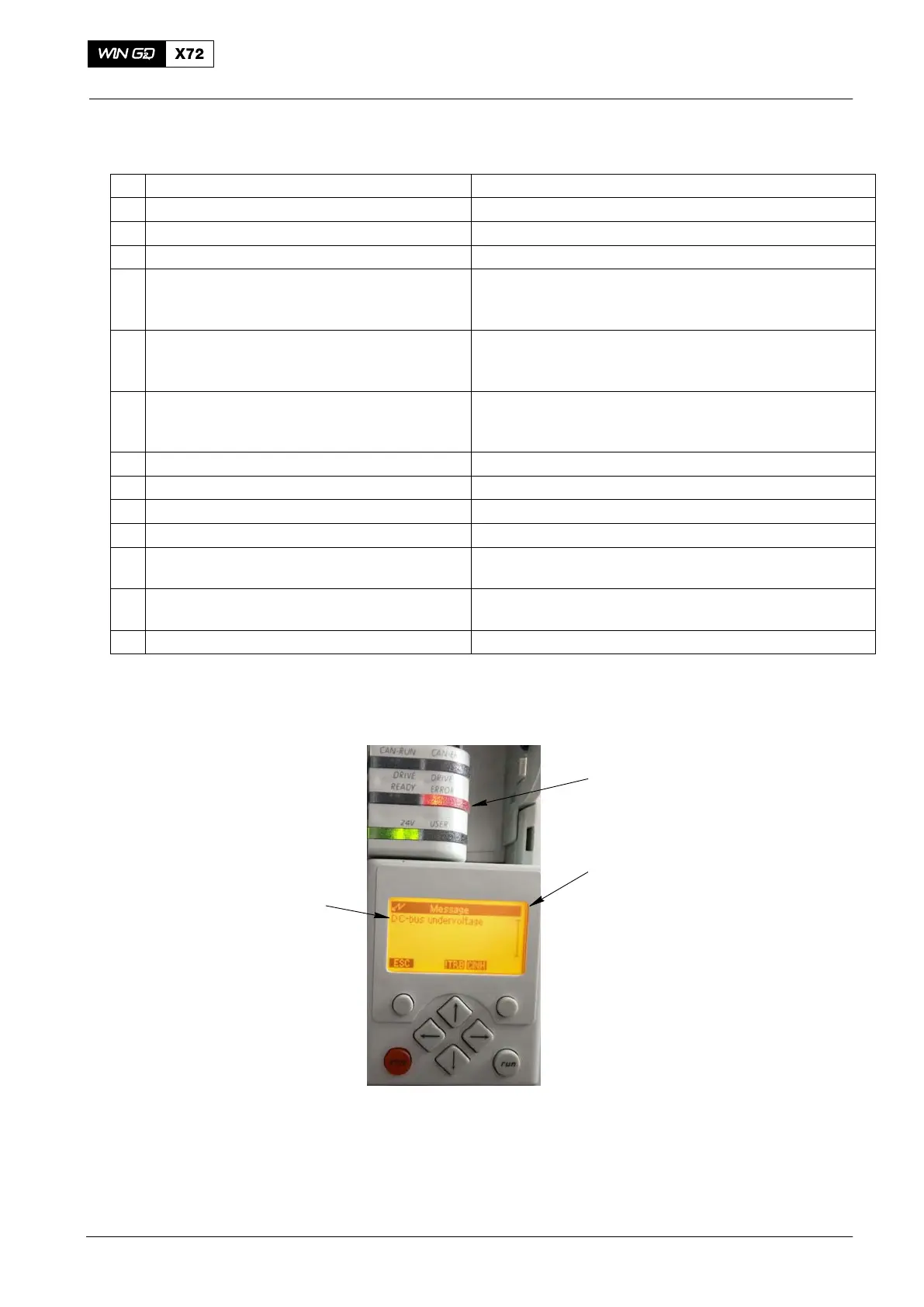
You can read the errors (3, Fig. 5) from the small display (2) in the control cabinet.
The red drive error indicator (1) flashes when there is an error.
1
2
3
Fig. 5: Lenze Drive − Error Messages
1 Drive error indicator 3 Error messages
2 Display
2015-12
Integrated Electric Balancer



 To Next Page