January 2010
2-325
Phaser 7760 Color Laser Printer
012-948, 015-400, 112-700
Status Indicator RAP’s
Revised
012-948, 015-400, 112-700 Puncher Waste Bin Nearly Full
Cumulative punching count reached the specified times (2-hole punching: 5000 times, 4-hole
punching: 2500 times). This procedure can be used for troubleshooting Chain Link code 012-
948, 015-400, or 112-700.
Procedure
Remove the Puncher Waste Bin and discard its dust. Install the Puncher Waste Bin. The
problem resolved.
YN
Enter Service Diagnostics Menu: Printer Menu > Troubleshooting > Service Tools >
Printer Status Page > hold the Up and Down buttons simultaneously > Run Service
Diagnostics > OK. Run the Puncher Box Set Sensor test. Remove and insert the
Puncher Waste Bin. The display changes.
YN
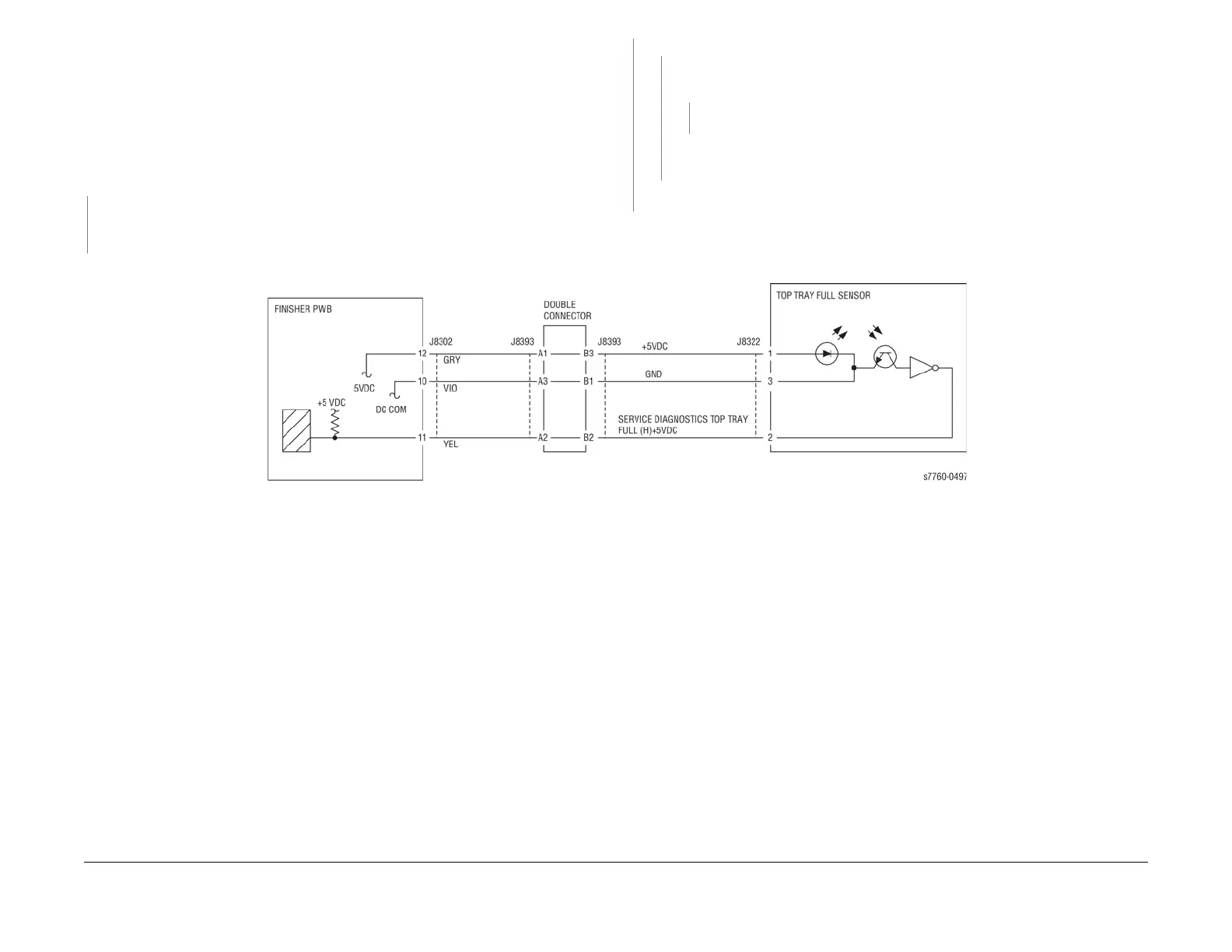
Check continuity between the Puncher Box Set Sensor and Finisher Main PWB (Fig-
ure 1). The continuity check is OK.
YN
Repair the open circuit or short circuit.
Replace the Puncher Box Set Sensor (PL 21.5). If the problem continues, replace
the Finisher PWB (PL 21.12).
Replace the Finisher PWB (PL 21.12).
Ensure the Puncher Waste Bin is installed properly.
Figure 1 012-948, 015-400, 112-700 Puncher Set Box
A
A

















 To Next Page