HINT:
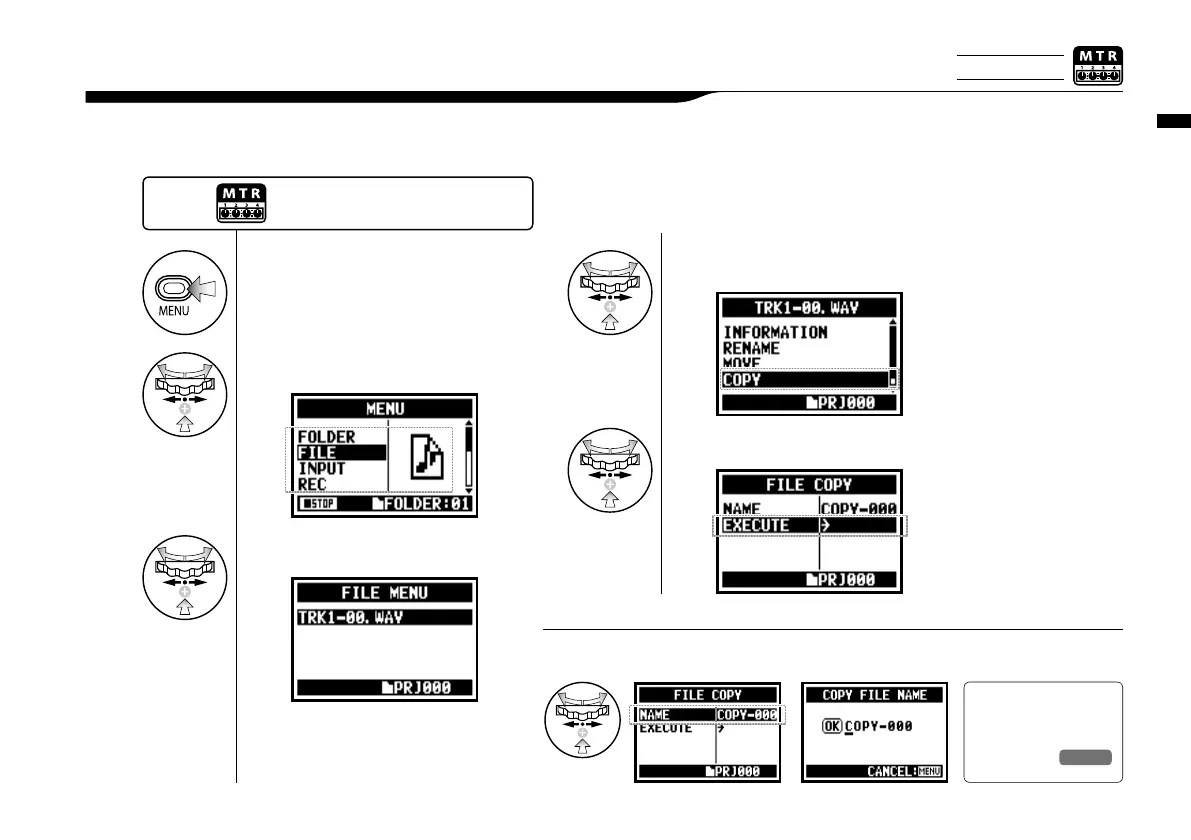
Change the file name:
In MTR mode you can copy files. The copies are saved in the same project as the original files.
This function is useful when you want to preserve the original master copy.
Edit / Output : <FILE (COPY)>
108
5-06 Edit / Output : <FILE (COPY)>
1
Press.
3
Select your desired file and press.
2
Select <FILE> and press.
4
Select <COPY> and press.
Ref.
☞
<FILE RENAME>
P.109
5
Select <EXECUTE> and press.
Press the [MENU] button for
more than 2 seconds, and start
operation from the top screen.
The default name given to copied files is “COPY-XXX”. You
can change that if necessary.
Only on MTR MODE



 To Next Page