Edit / Output : <FILE MP3 ENCODE>
111
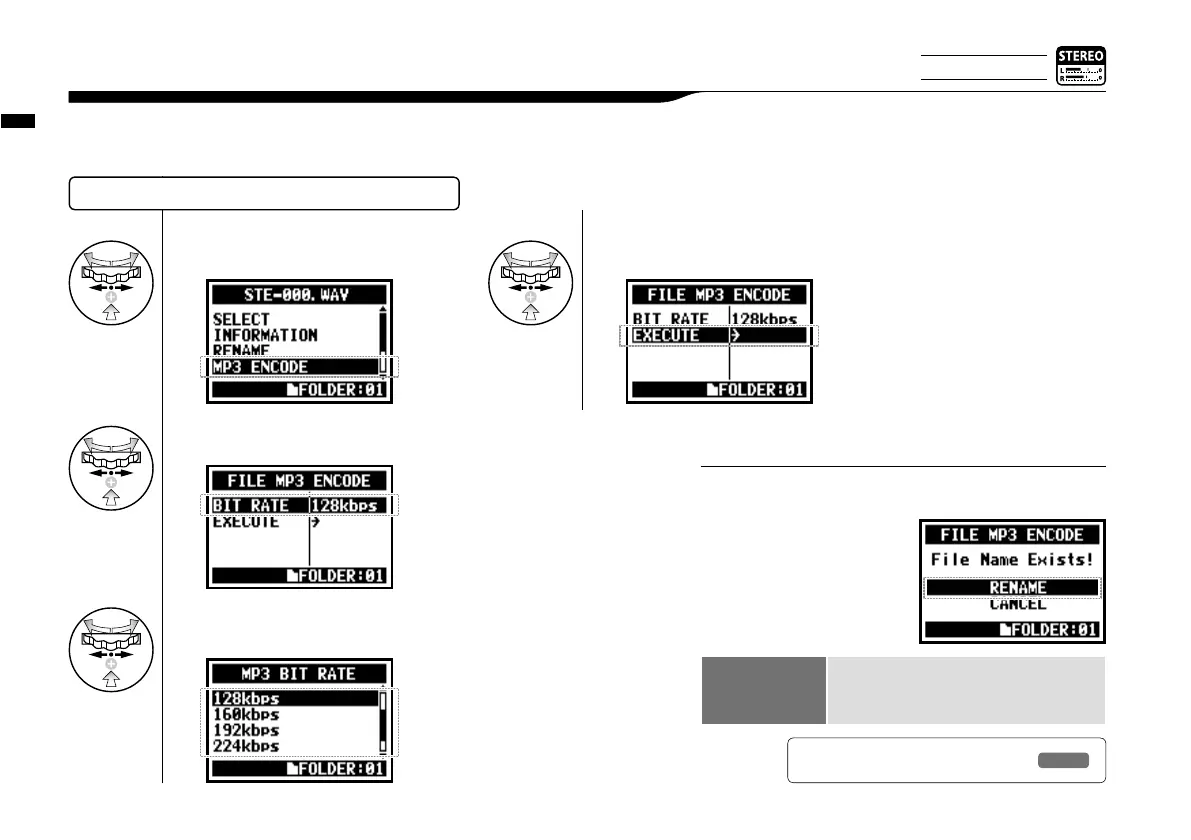
In STEREO MODE you can encode a WAV FILE into MP3 format at various bit rates.
5-08 Edit / Output : <FILE MP3 ENCODE>
SELECTING THE FILES…P.104 <FILE SELECT>
• The name of the encode-completed file becomes
automatically the “Original file name.mp3”
• You cannot have two files
with the same name. When
the screen says “The file
name already exists!”, select
<RENAME> and create a
different name.
HINT:
Bit rate that can be
selected unit : kbps
48, 56, 64, 80, 96, 112, 128, 160, 192, 224,
256, 320, VBR
Default; 128 kbps
6
Select your desired bit rate and
press.
7
Select <EXECUTE> and press.
4
Select <MP3 ENCODE> and press.
5
Select <BIT RATE> and press.
Ref.
☞
<FILE RENAME>
P.109
Only on STEREO MODE



 To Next Page