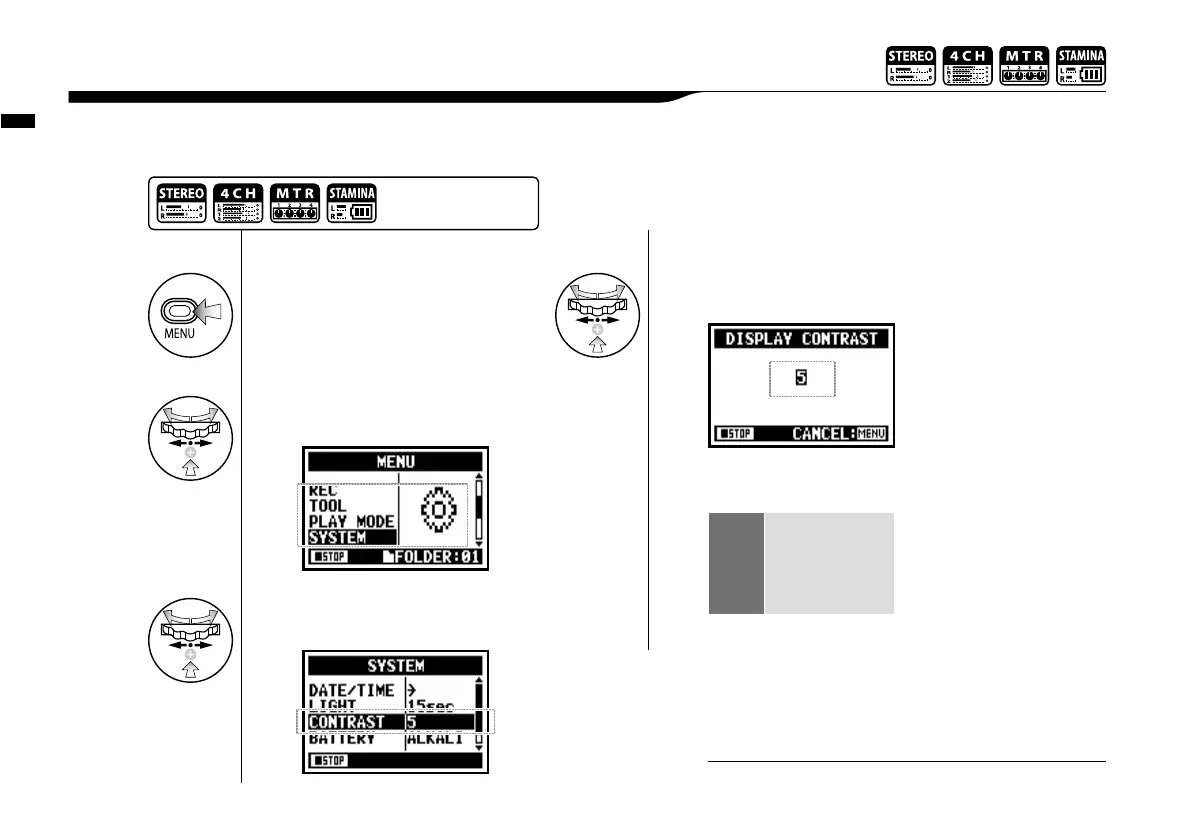
Utility : <DISPLAY CONTRAST>
127
Adjust the display contrast.
6-02 Utility : <DISPLAY CONTRAST>
1
Press.
4
Change the number
and press.
* You can adjust from #1 to #8.
A higher the number
corresponds to more contrast.
3
Select <CONTRAST> and
press.
1
−
8
weak get lighter
↑
↓
strong get darker
* default; #5
2
Select <SYSTEM> and
press.
Press the [MENU] button for
more than 2 seconds, and start
operation from the top screen.
You cannot use this setting during recording and playback.
NOTE:



 To Next Page