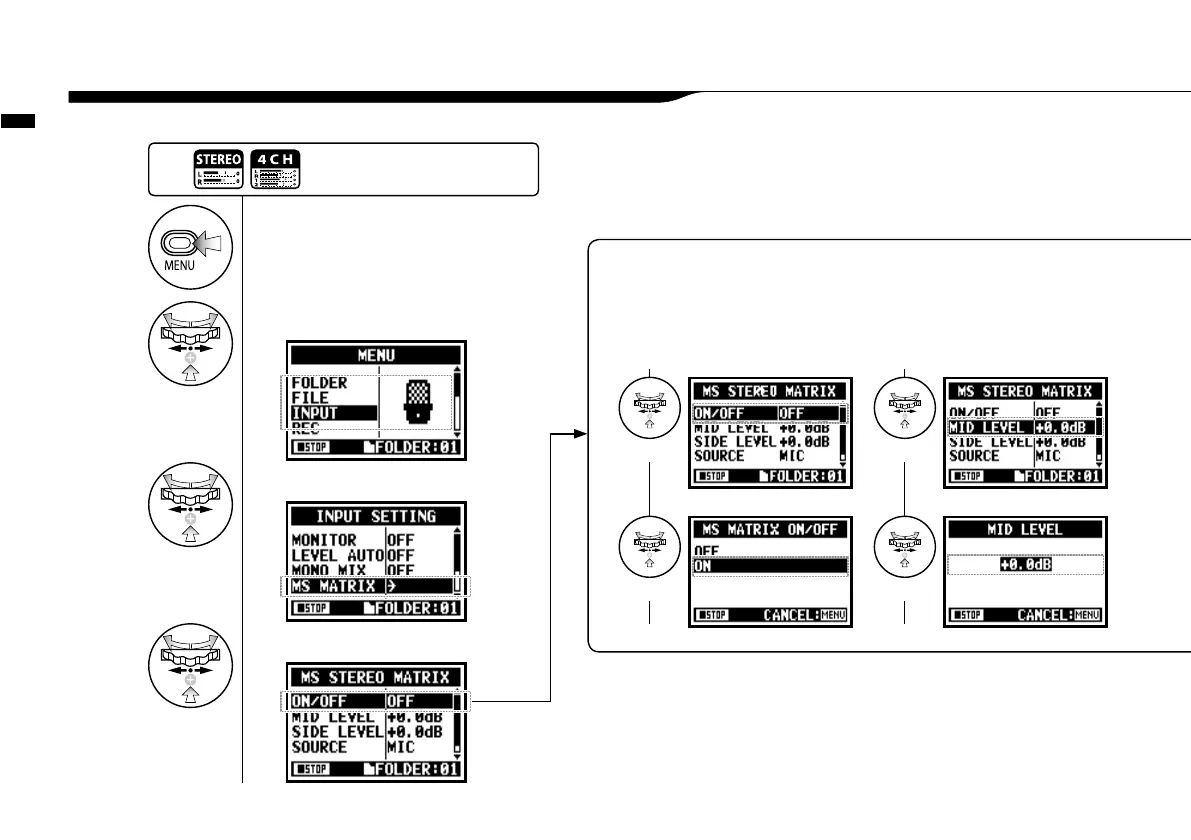
Recording function <MS STEREO MATRIX>
073
This function enables you to convert the stereo microphone signals when using a MID/SIDE recording configuration.
2-08 Recording function <MS STEREO MATRIX>
<ON / OFF>
Make the setting <ON/OFF> of
<MS STEREO MATRIX>.
<MID LEVEL>
<MID>is a directional microphone receiving
the recording targets.
Setting value: MUTE, −48.0 _ +12.0dB
Default: +0.0dB
1
Press.
2
Select <INPUT> and press.
3
Select <MS MATRIX> and press.
4
Make each setting accordingly.
Select
Select
Select
Adjust
Press the [MENU] button for
more than 2 seconds, and start
operation from the top screen.



 To Next Page