Power On and Off, How to use power and hold switch
019
4-1 Power On and Off, How to use power and hold switch
[
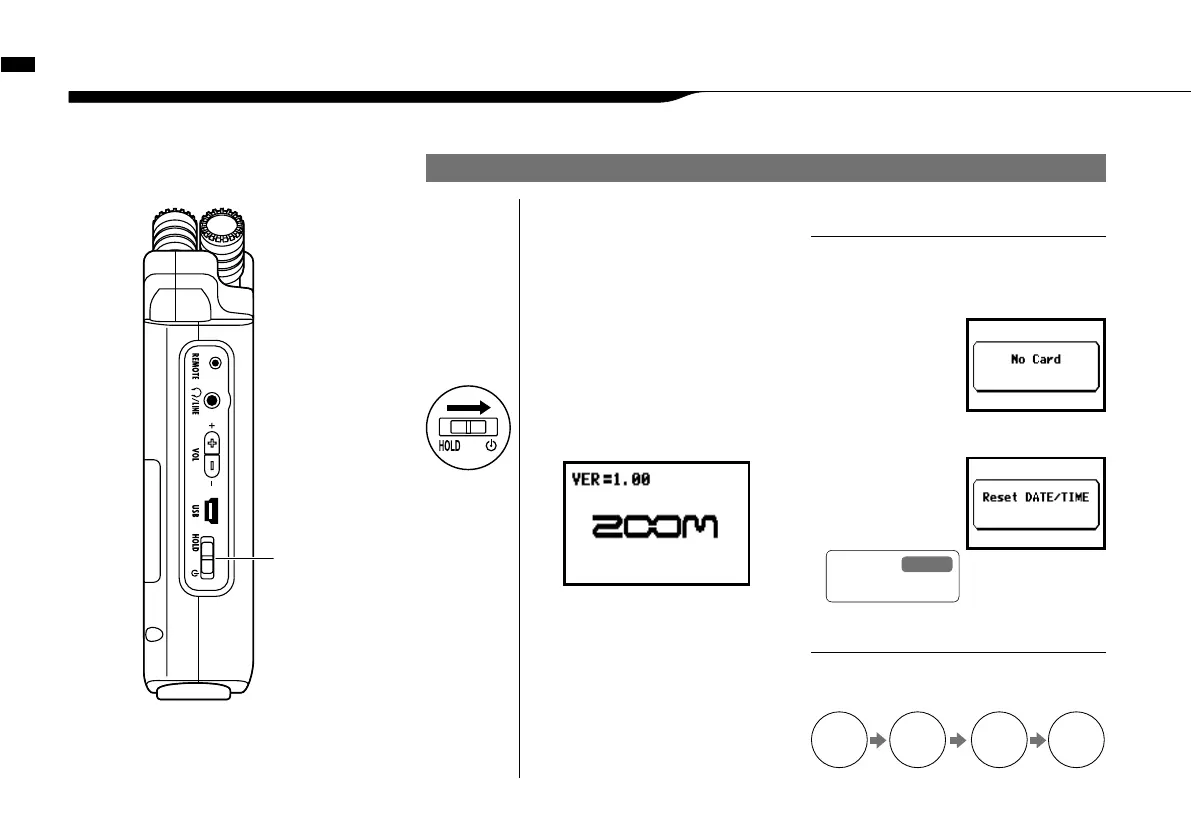
LEFT PANEL
]
POWER switch
HOLD switch
POWER ON / BOOTING UP
2
Insert SD card.
1
[Preparation]
Make sure all equipment is
turned off.
4
Switch on connected
instruments and monitors.
• Before switching the power on, lower
the volume of instruments and monitors
connected to the H4n.
• If the display reads
"No Card" when boot-
ing up, make sure
that the SD card is
inserted correctly.
• If the display says "Reset DATE/TIME"
when booting
up, the date and
time are set to the
primary value.
NOTE
When using additional audio devices, power
them on in the following order:
HINT:
Procedure for power on.
3
[Power On _ Boot up]
Slide the power switch.
AMPMixerH4n
Instruments
ON ON ONON
Ref.
<DATA/TIME>
P.028



 To Next Page