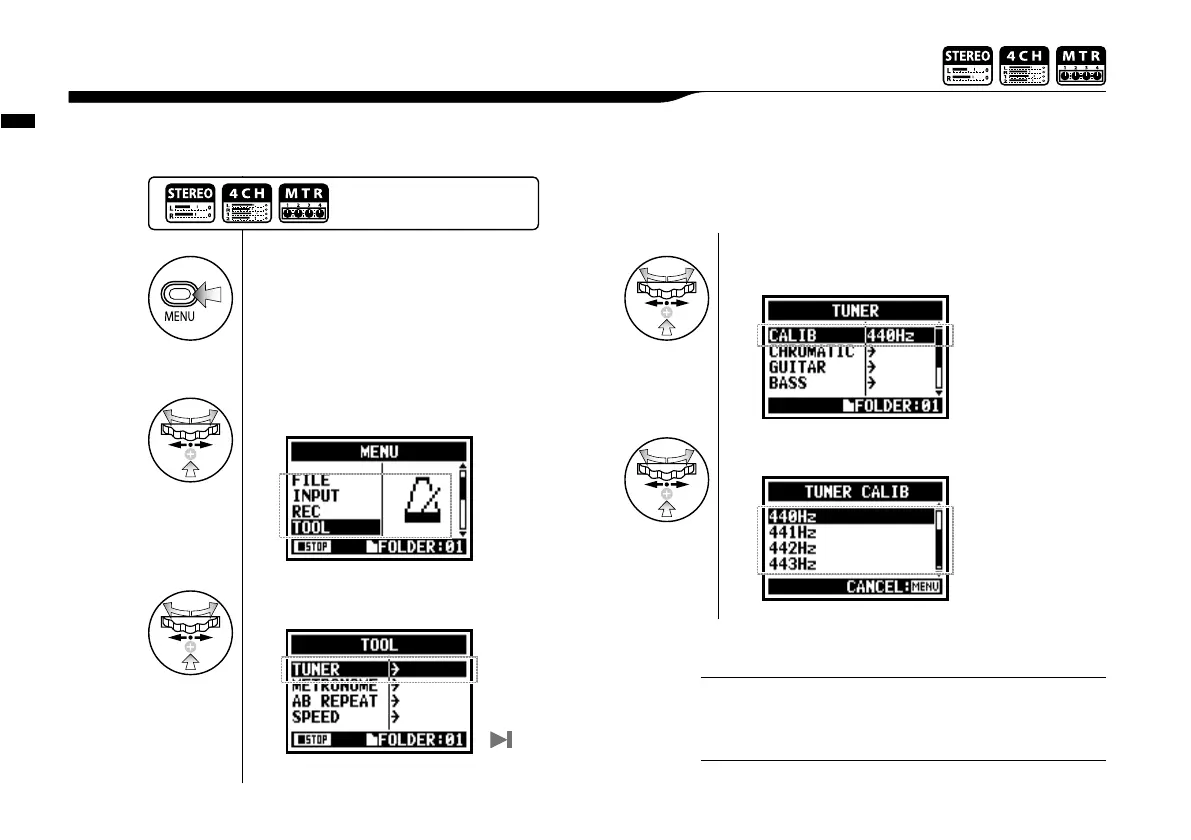
This function allows you to calibrate the tuner.
3-01-3 Tuner <TUNER (CALIB) >
• The initial setting is 440Hz.
• You can make any setting per 1Hz from 435Hz to 445Hz.
HINT:
Not available during recording and playback.
NOTE:
1
Press.
2
Select <TOOL> and press.
3
Select <TUNER> and press.
4
Select <CALIB> press.
5
Select frequency numbers.
Tuner <TUNER (CALIB) >
077
Press the [MENU] button for
more than 2 seconds, and start
operation from the top screen.
The <TUNER> operation
up to here is in common.



 To Next Page