Edit / Output : <FILE RENAME>
109
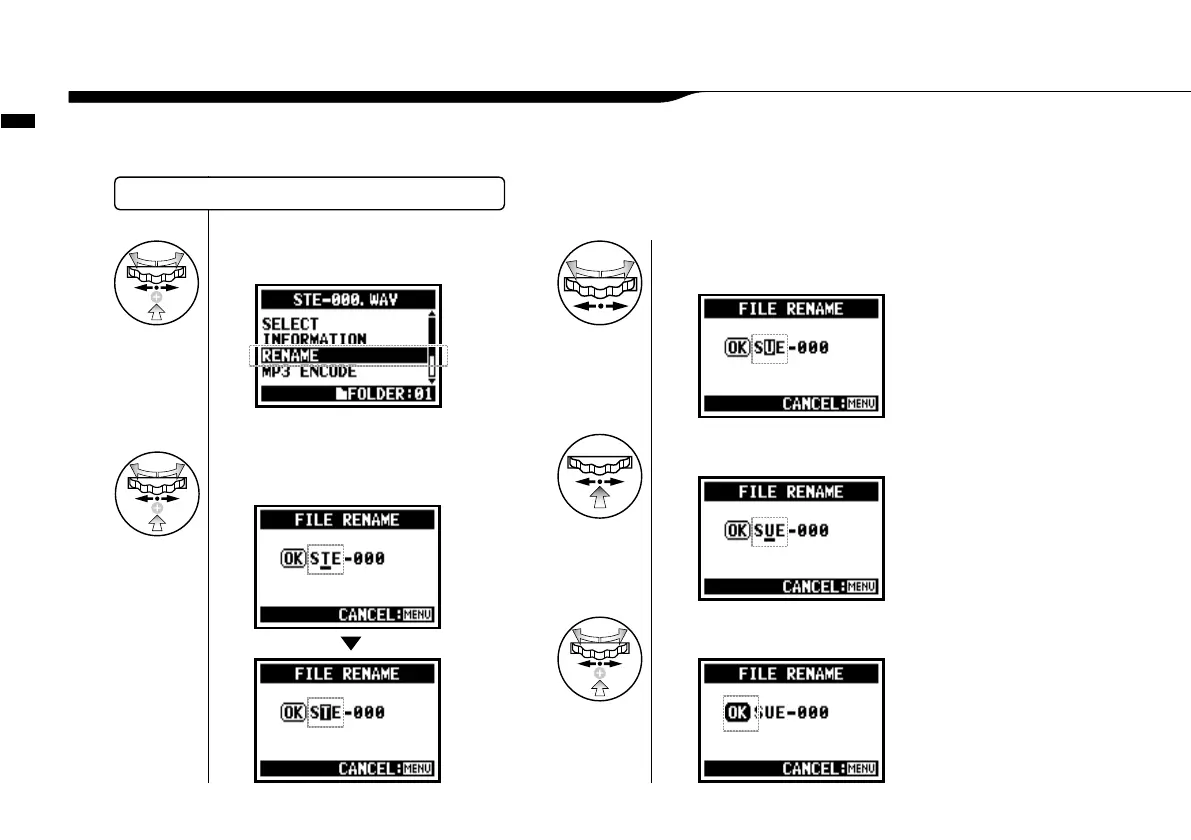
In STEREO, MTR and STAMINA MODE, you can change the name of the file.
When recorded in 4CH MODE, the file names cannot be changed.
5-07 Edit / Output : <FILE RENAME>
4
Select <RENAME> and press.
SELECTING THE FILES…P.104 <FILE SELECT>
5
[Make change of each letter or number.]
Select and press.
select the letter to
be changed
press the [DIAL]
and then the letter
is reversed
8
Select <OK> and press.
6
[Input a letter or number.]
Select.
select the letter with [DIAL]
7
Press.
press the [DIAL] and then the
change is confirmed



 To Next Page