A sing-along machine <KARAOKE> recording
093
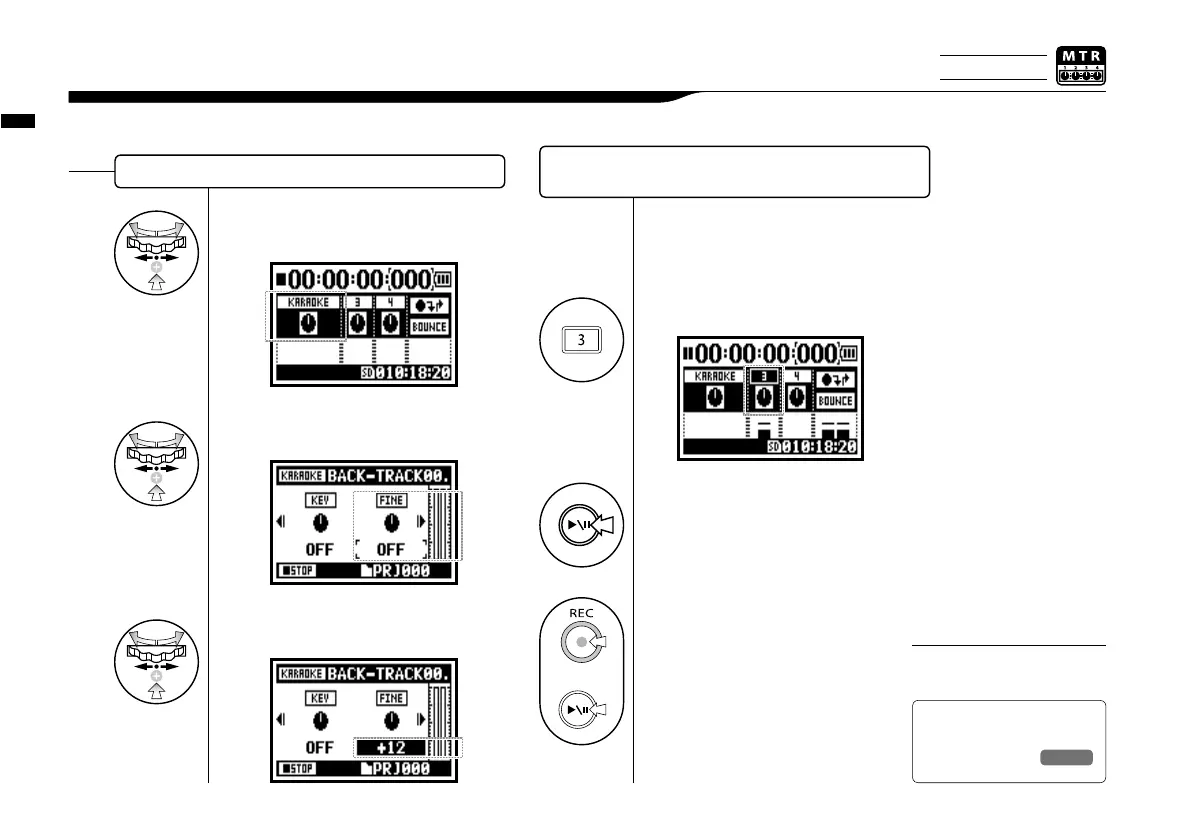
3-04-2 A sing-along machine <KARAOKE> recording
You cannot use this function
together with <EFFECT>.
NOTE:
+
A slight adjustment of KARAOKE TRACK KEY.
1
Connect the microphone.
2
Select the track menu icon and press.
3
Press ‘PRACTICE’ (no recording).
[START RECORDING]
Press [REC] button and make
recording standby condition.
After that press [PLAY/PAUSE]
button to start recording.
Recording on KARAOKE
Ref.
☞
<TRACK MENU>
P.059
14
Select <FINE> and press.
15
Make adjustment and press.
13
Select TRACK MENU icon
and press.
Press the INPUT button corresponding
to the connected input jack.
4
Only on MTR MODE



 To Next Page