Playback : <AB REPEAT>
097
4-04 Playback : <AB REPEAT>
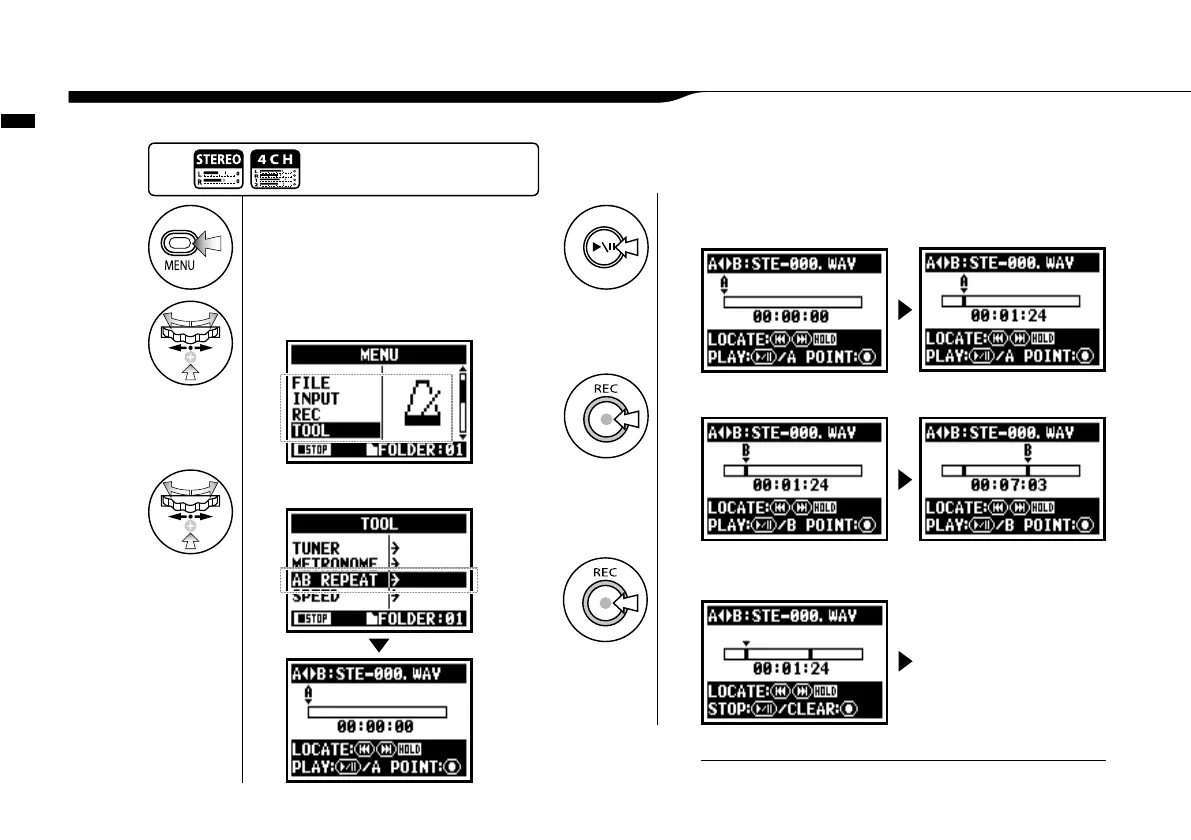
The <AB REPEAT> repeat setting allows you to playback two points on the file repeatedly.
1
Press.
2
Select <TOOL> and press.
3
Select <AB REPEAT > and press.
4
[START PLAYBACK] Press.
point A moves.
5
[Set up point A] Press.
A mark is placed at point A, then mark B appears and moves until set
6
[Set up point B] Press.
Playback continues
repeatedly between the
indicated locations.
Press the [MENU] button for
more than 2 seconds, and start
operation from the top screen.
You can set point [A] and [B] while stopped.
HINT:



 To Next Page