Playback : <PLAY MODE>
095
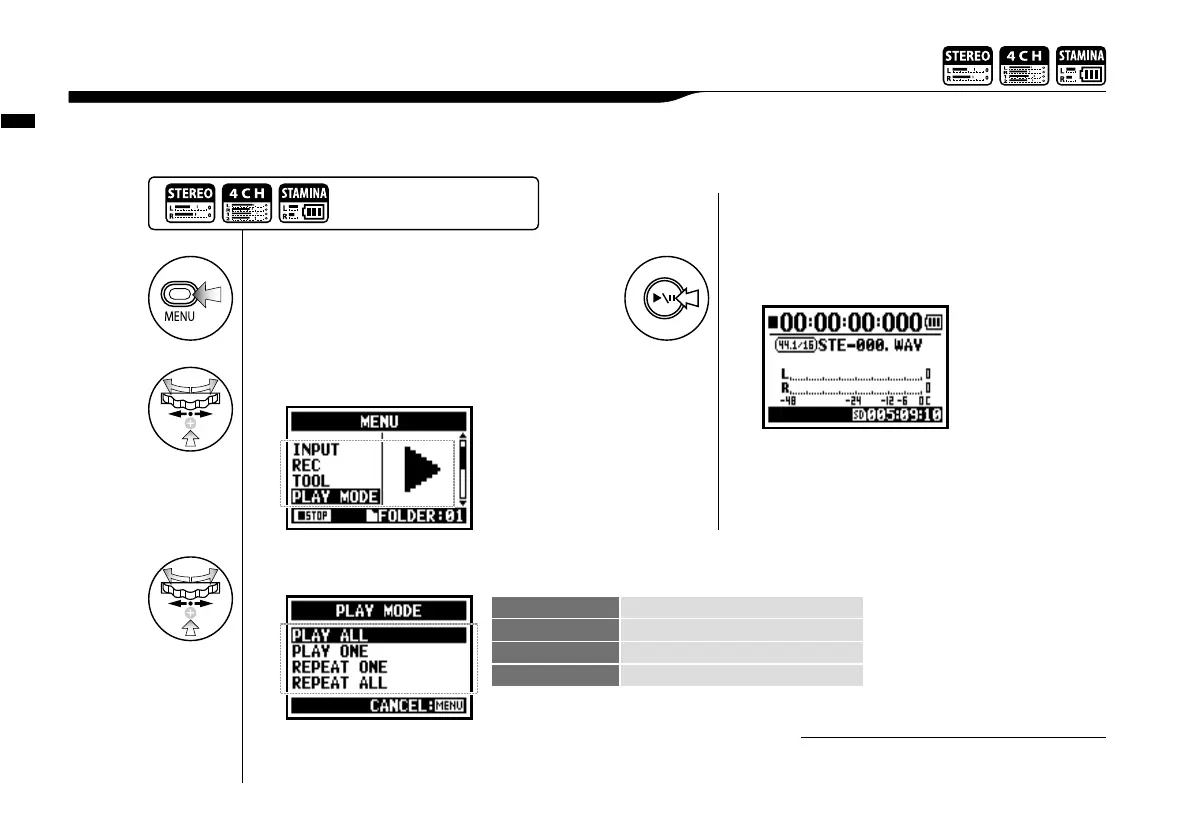
Aside from general playback, you can also select
1) one file only playback, 2) repeat playback of one file, and 3) all files repeat playback.
4-02 Playback : <PLAY MODE>
You cannot use this setting during recording
and playback.
NOTE:
1
Press.
2
Select <PLAY MODE> and press.
3
Select a play mode and press.
PLAY ALL Playback all the files in the folder.
PLAY ONE Playback one file.
REPEAT ONE Playback repeat of one composition only.
REPEAT ALL Playback all files in the folder.
Select desirable mode.
4
[START PLAYBACK]
Press.
Press the [MENU] button for
more than 2 seconds, and start
operation from the top screen.



 To Next Page