Utility : <REMAIN>
131
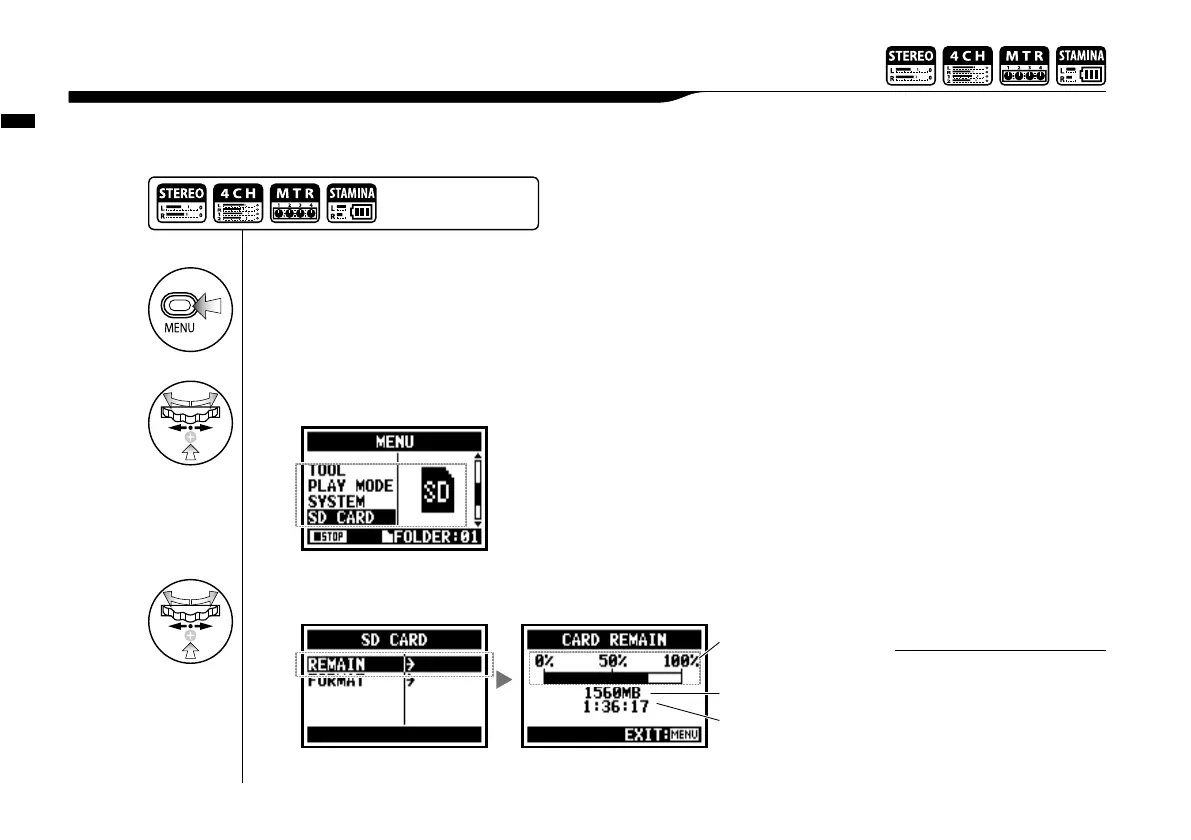
You can confirm the remaining capacity of the SD CARD.
6-06 Utility : <REMAIN>
1
Press.
3
Select <REMAIN> and press.
approximate remaining
capacity
remain volume (MB)
Remaining recording
time on the current
recording format.
2
Select <SD CARD> and press.
Press the [MENU] button for
more than 2 seconds, and start
operation from the top screen.
You cannot use this setting
during recording and playback.
NOTE:



 To Next Page