Effect <EDIT (LEVEL/RENAME) >
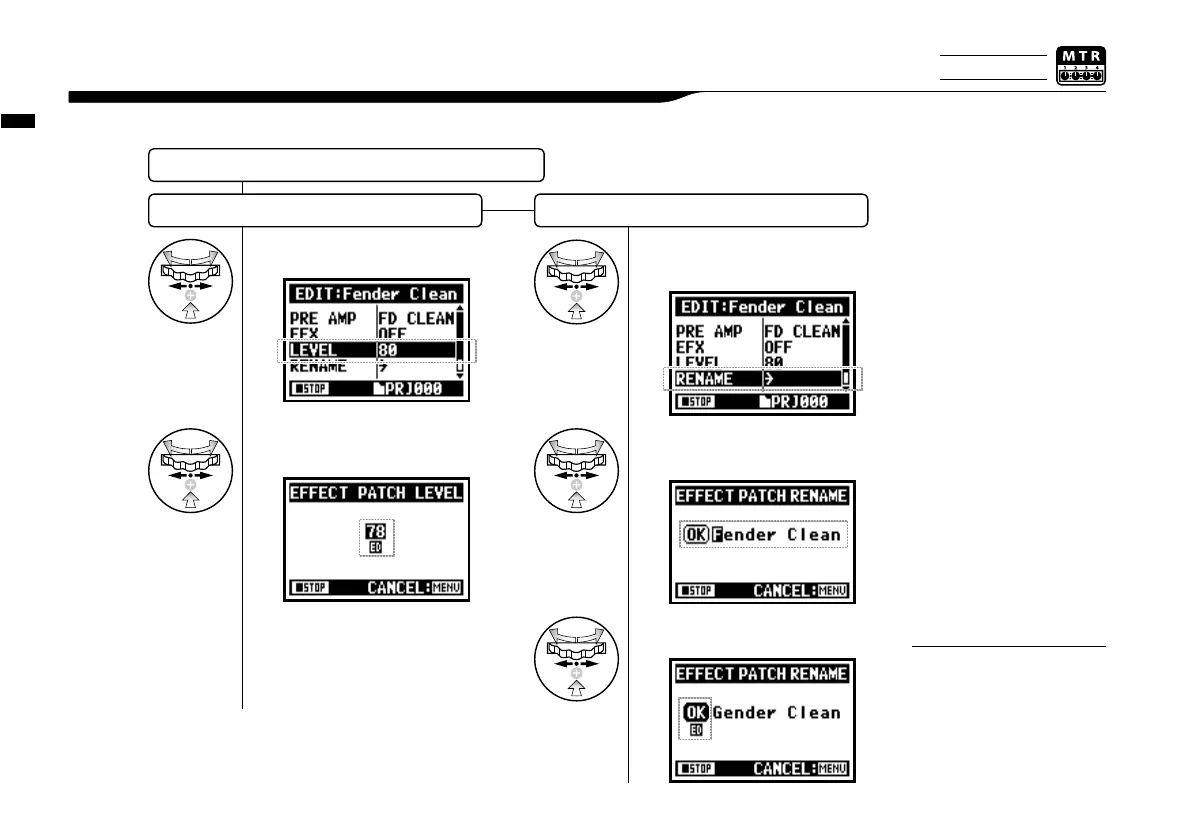
Adjust the levels of the patch and change the name.
3-03-6 Effect <EDIT (LEVEL/RENAME) >
Select <LEVEL> and press.
Change the number and
press.
Select <STORE> to save
the patch. To return to the
top without saving the edit/
change, hit MENU.
NOTE:
EFFECT
〈
EDIT
〉
…P.084
LEVEL RENAME
087
1
2
Select <RENAME> and
press.
1
Change the PATCH name
and press.
2
Select <OK> and press.
3
Only on MTR MODE



 To Next Page