Recording function <COMP/LIMIT>
069
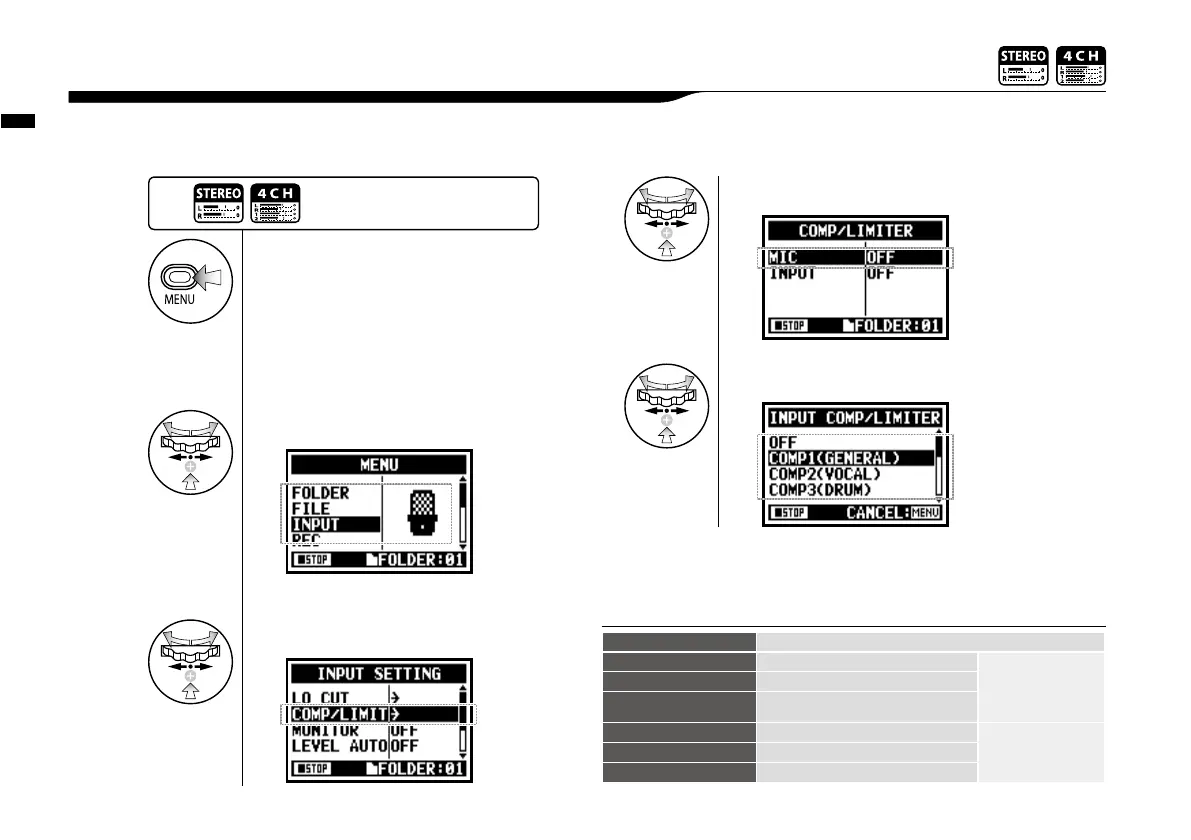
The <COMP / LIMIT> setting can compensate for volume differences. For each input source, low
level input signals are lifted up and high level input signals are controlled down when recording.
2-04 Recording function <COMP/LIMIT>
1
Press.
3
Select <COMP/LIMIT> and press.
4
Select the setting input source.
5
Select the setting target.
HINT:
OFF
Compressor and Limiter are off
COMP1 (GENERAL)
Standard compressor
The compressor
can compress
higher level sounds
and raise the level.
COMP2 (VOCAL)
Compressor suitable for vocal
COMP3 (DRUM)
Compressor suitable for drum and
percussion
LIMIT1 (GENERAL)
Standard limiter
The limiter can
compress when
the input signals go
over the fixed level
LIMIT2 (CONCERT)
Limiter suitable for ‘live’
LIMIT3 (STUDIO)
Limiter suitable for ‘studio’ recording
2
Select <INPUT> and press.
Press the [MENU] button for
more than 2 seconds, and start
operation from the top screen.



 To Next Page