Edit / Output : <PROJECT (BOUNCE) >
123
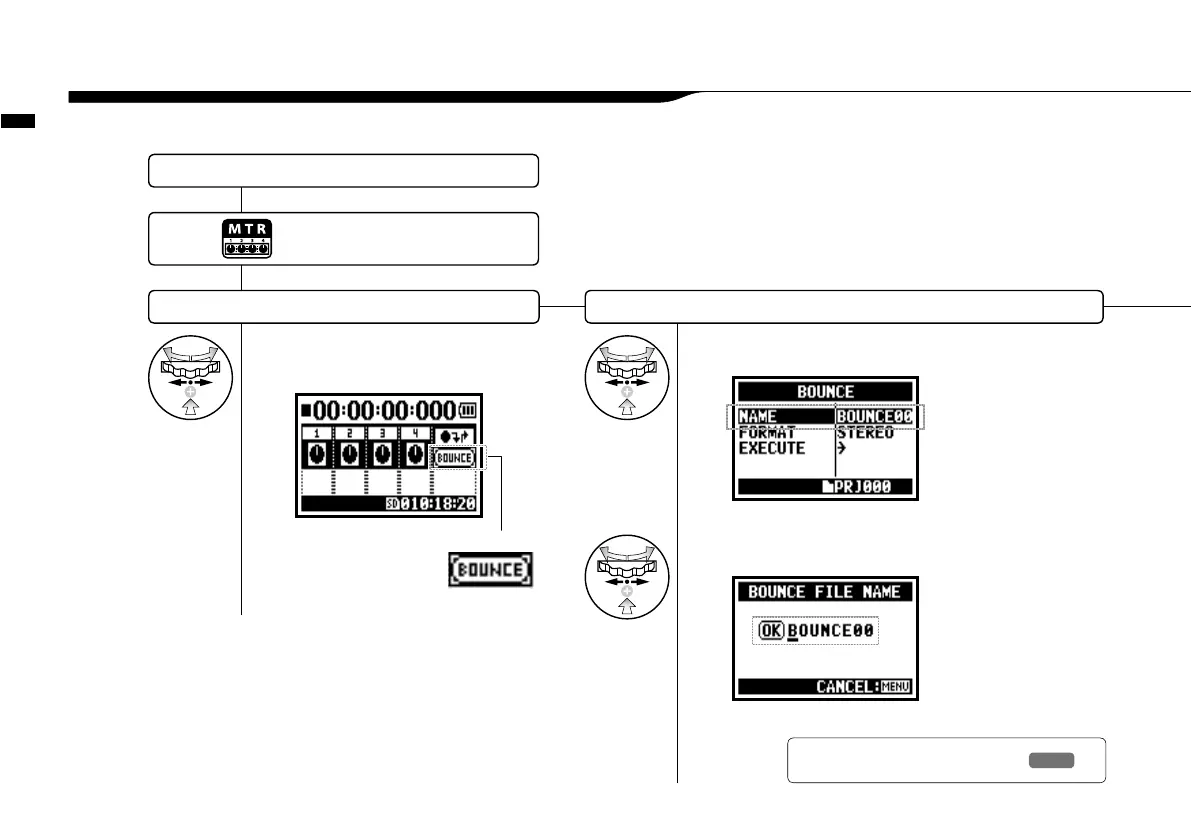
You can combine tracks created in MTR mode and mix them down to one mono or stereo track.
5-19 Edit / Output : <PROJECT (BOUNCE) >
Select <BOUNCE> Select the name to bounce to.
* If you have no change, proceed to next.
→
3
Change the name of the file.
Select a target project and start operation.…P.119
1
Select <BOUNCE> on the
top screen and press.
BOUNCE icon
2
Select <NAME> and press.
when you do not change
the name, automatically
given a file name:
BOUNCE XX
Press the [MENU] button for
more than 2 seconds, and start
operation from the top screen.
Ref.
☞
<FILE RENAME>
P.109



 To Next Page