Edit / Output : <PROJECT (BOUNCE) >
124
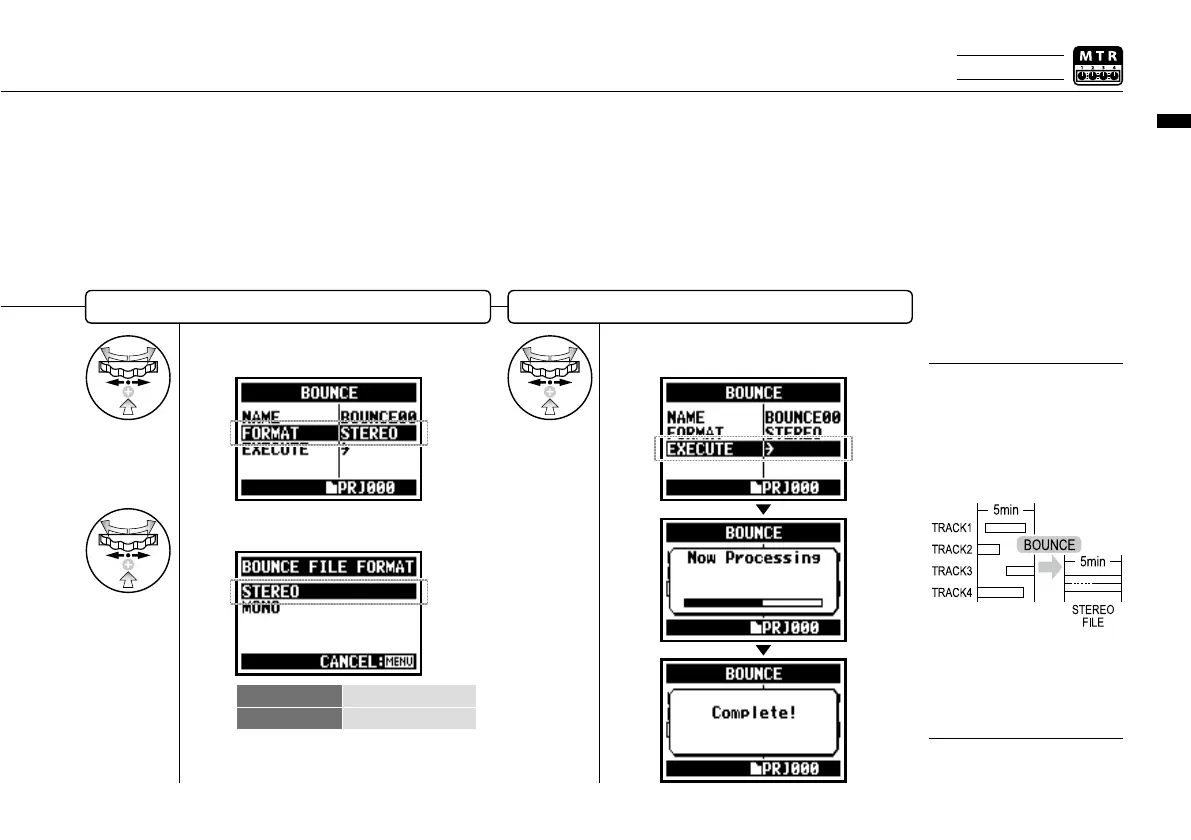
Select output le format: mono or stereo
6
Select <EXECUTE> and press.
Execution
You cannot use this setting
during recording and playback.
NOTE:
4
Select <FORMAT> and press.
STEREO STEREO file
MONO MONAURAL file
5
Select the file type and press.
BOUNCE means to put
together the various music
data divided in different
tracks and files into the stereo
or monaural files.
HINT:
If you make <BOUNCE>
operation, a new file will be
created in the same project.
Only on MTR MODE



 To Next Page