Utility : <DISPLAY BACK LIGHT>
126
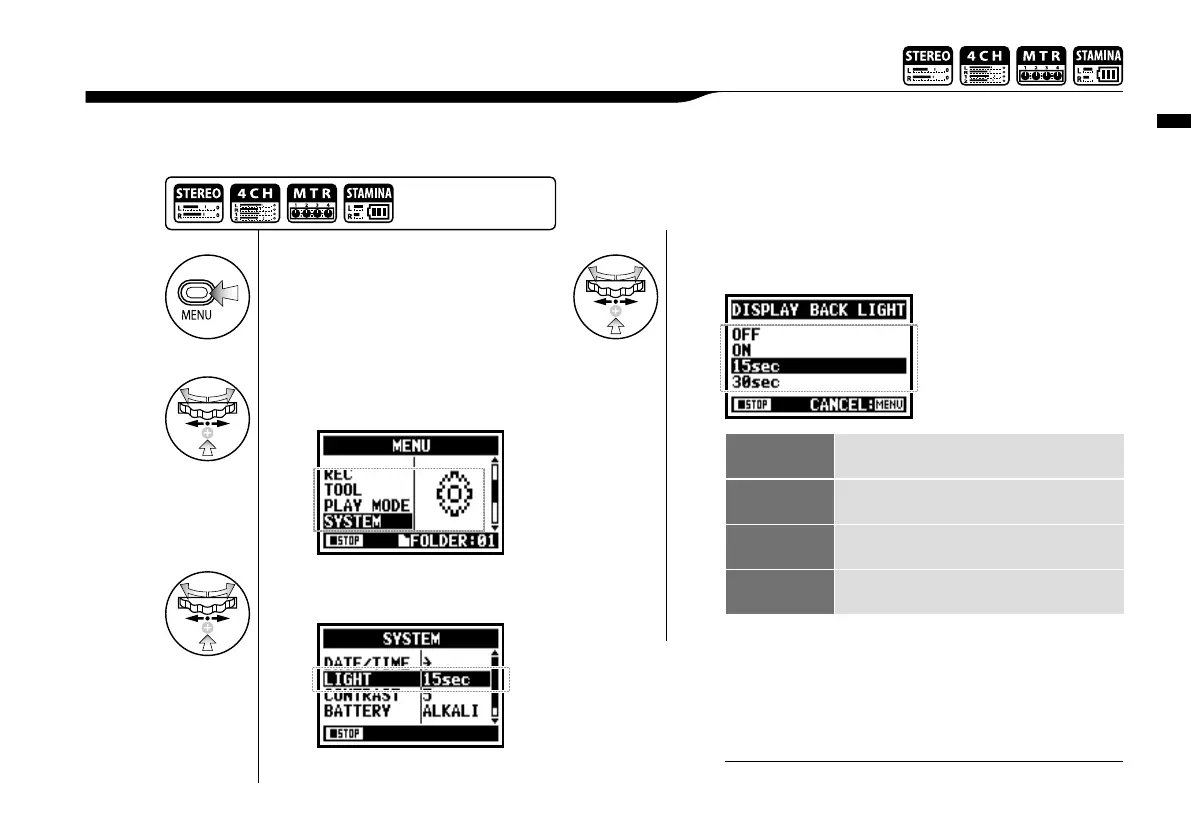
You can set the lighting time of the LCD BACK LIGHT on the display.
6-01 Utility : <DISPLAY BACK LIGHT>
1
Press.
OFF Switch off the light all the time.
ON Switch on the light all the time.
15sec
Light on for 15 seconds after the last key
operation.
30sec
Light on for 30 seconds after the last key
operation.
* default; 15 seconds.
4
Select the time you desire and press.
3
Select <LIGHT> and
press.
2
Select <SYSTEM> and
press.
Press the [MENU] button for
more than 2 seconds, and start
operation from the top screen.
You cannot use this setting during recording and playback.
NOTE:



 To Next Page