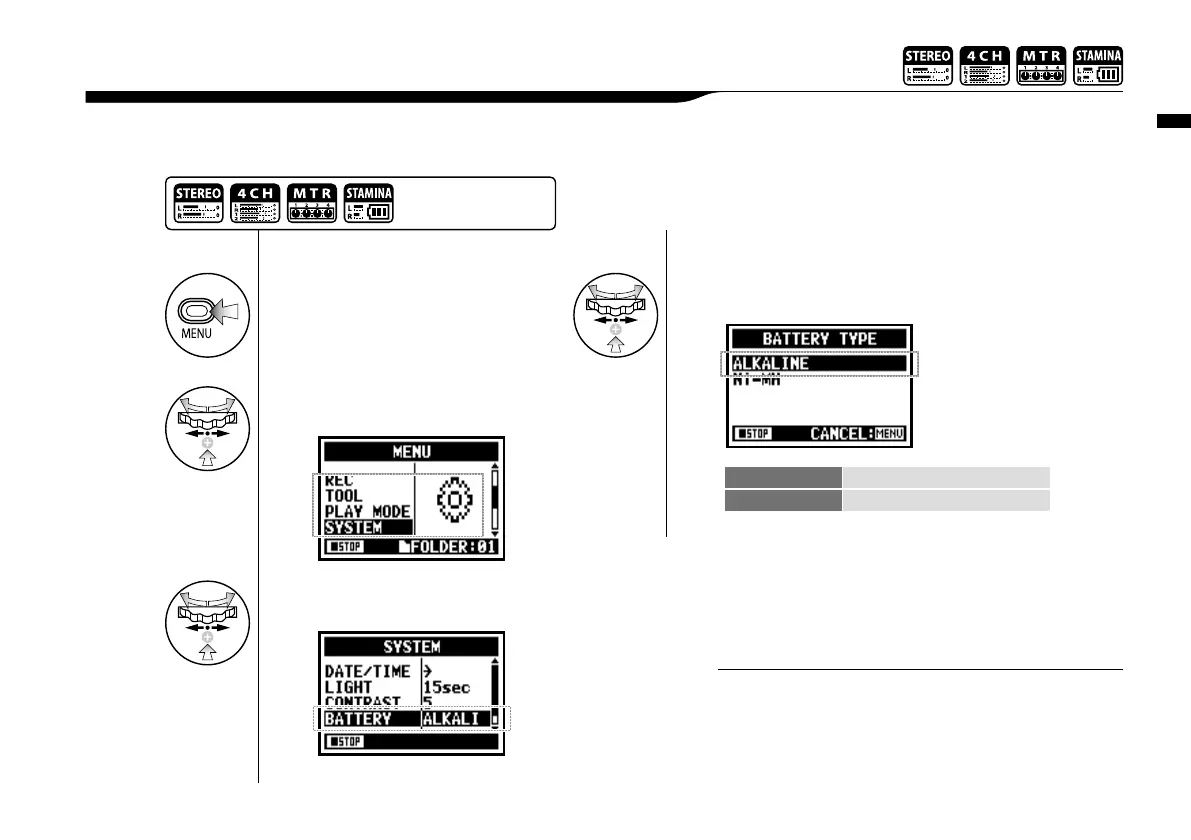
Utility : <BATTERY TYPE>
128
By setting your battery type, H4n can correctly display the remaining lifetime of the battery.
6-03 Utility : <BATTERY TYPE>
1
Press.
4
Select the battery type and
press.
3
Select <BATTERY> and
press.
ALKALINE Alkaline battery
Ni-MH Nickel hydrogen storage battery
* Default; ALKALINE
2
Select <SYSTEM> and
press.
Battery that can be used.
• Please use the alkaline or the nickel hydrogen storage battery.
• You cannot use this setting during recording and playback.
NOTE:
Press the [MENU] button for
more than 2 seconds, and start
operation from the top screen.



 To Next Page