Tuner <TUNER (INPUT) >
078
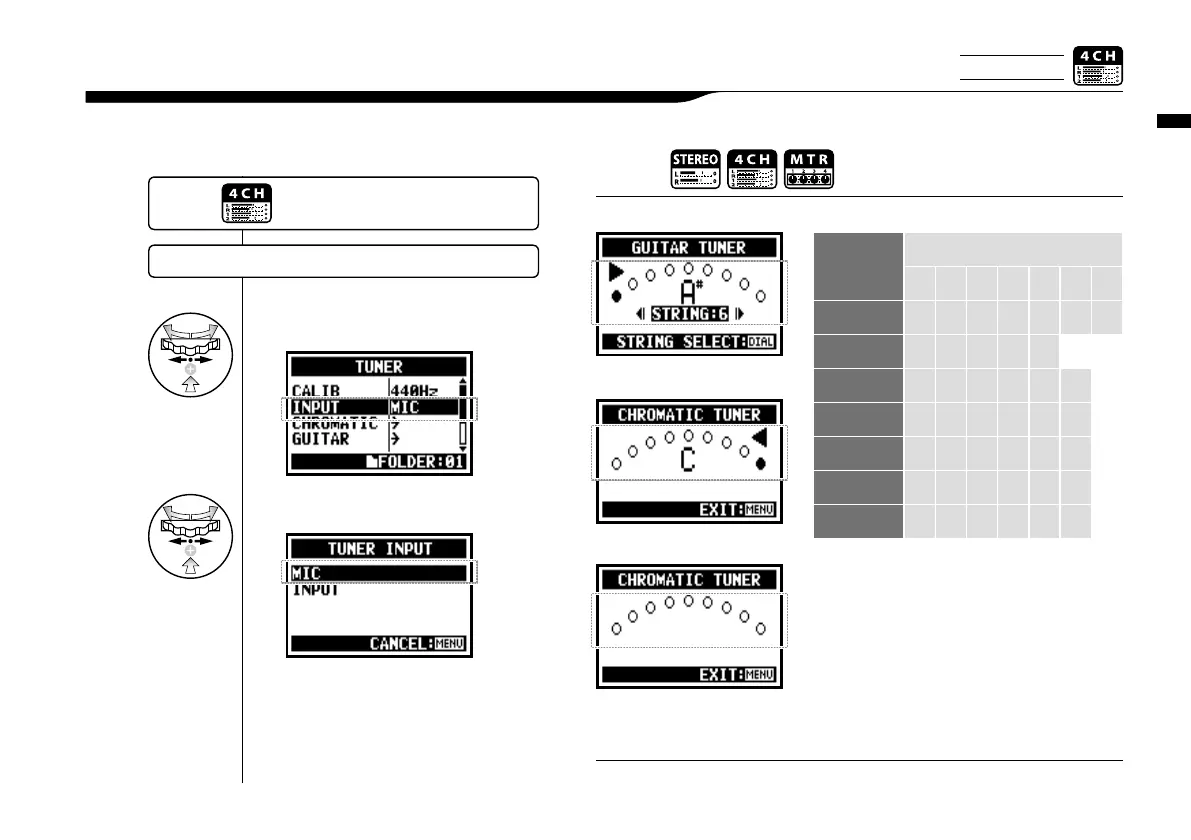
In 4CH mode you can select the input source for the tuner.
3-01-4 Tuner <TUNER (INPUT) >
4
Select <INPUT> and press.
5
Select input source and press.
Tuning display
HINT:
Not available during recording and playback.
NOTE:
When tuning is low
When tuning is high
No input sound (chromatic)
Tuner type
String number/ note name
1 2 3 4 5 6 7
GUITAR E B G D A E B
BASS G D A E B
OPEN A E C# A E A E
OPEN D D A F# D A D
OPEN E E B G# E B E
OPEN G D B G D G D
DADGAD D A G D A D
Tuner type and code
〈
TUNER
〉
…P.075
Only on 4CH MODE
Press the [MENU] button for
more than 2 seconds, and start
operation from the top screen.



 To Next Page