Recording function <MONITOR>
071
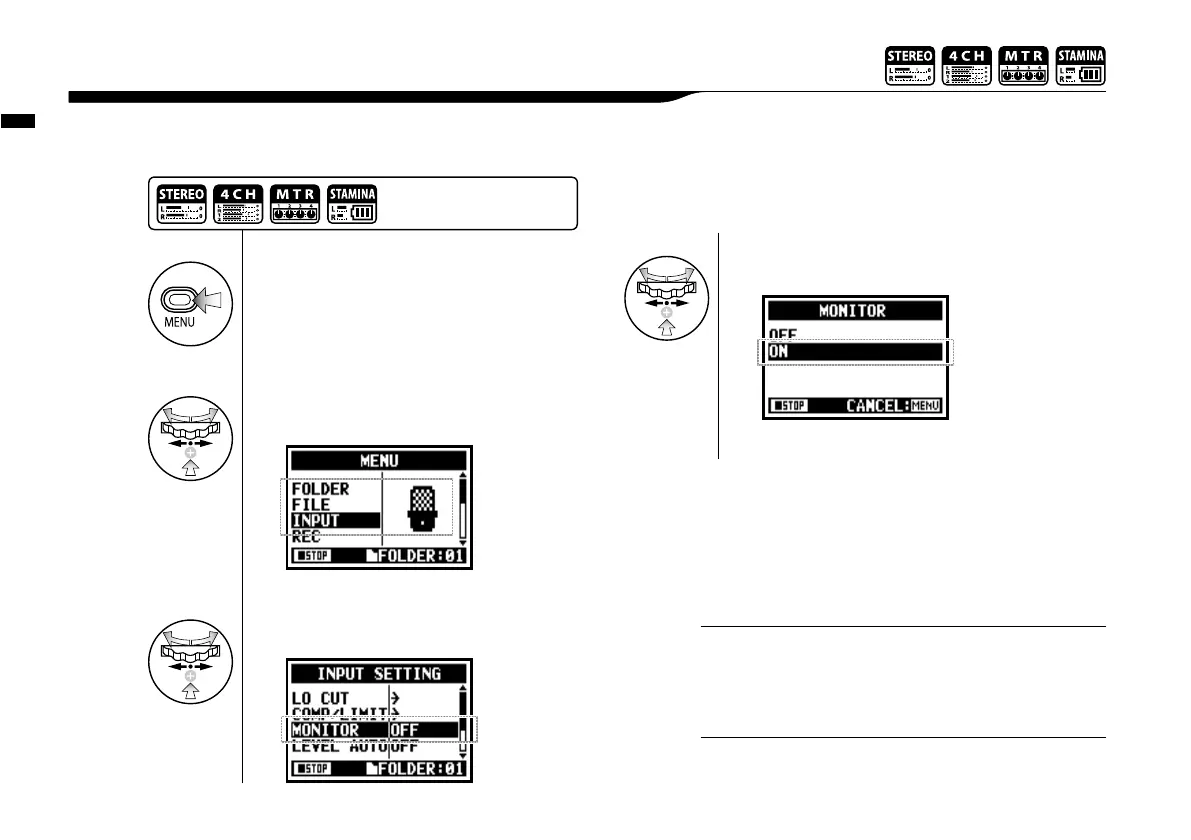
Turning on the MONITOR function allows you to monitor input signals at all times.
2-06 Recording function <MONITOR>
You cannot monitor the input sound through the built-in
speaker.
NOTE:
1
Press.
2
Select <INPUT> and press.
3
Select <MONITOR> and press.
4
Select <ON> and press.
You can always monitor the input source through [LINE/
PHONE MINI STEREO OUT] during recording standby.
HINT:
Press the [MENU] button for
more than 2 seconds, and
start operation from the top
screen.



 To Next Page