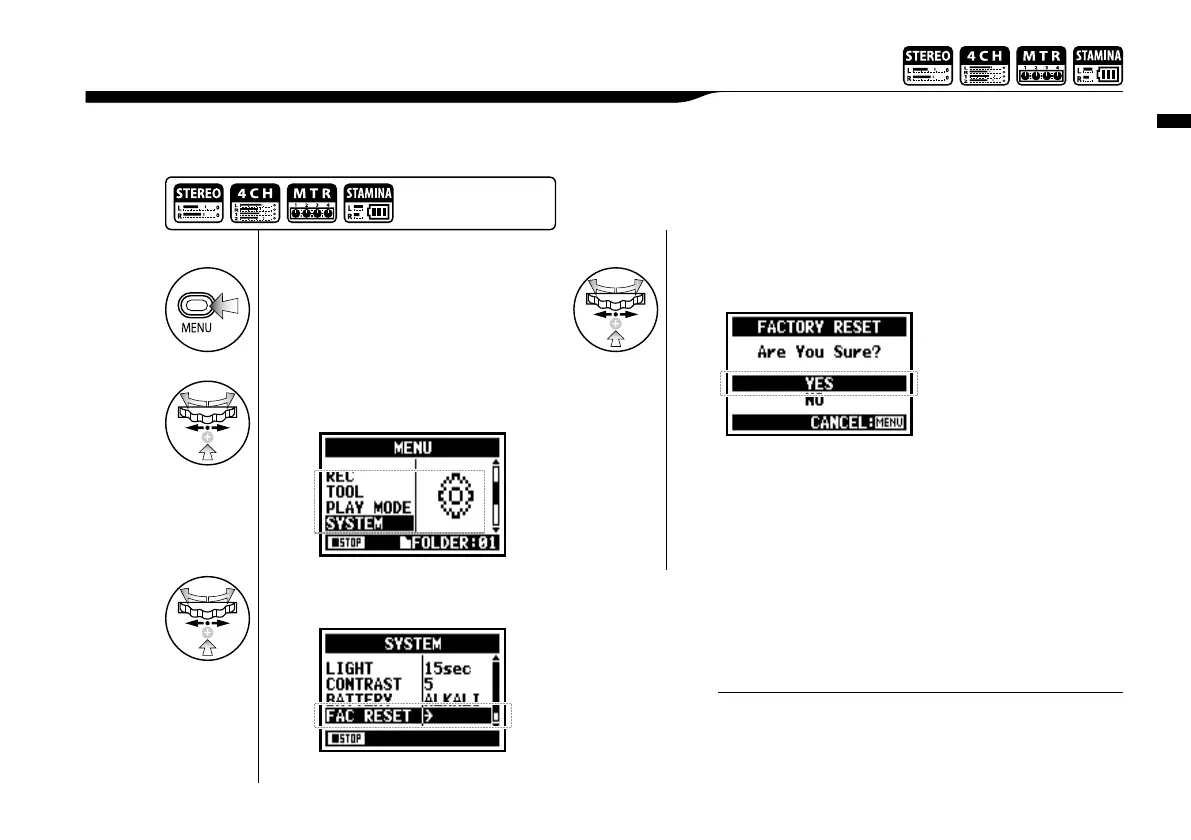
Utility : <FACTORY RESET>
130
Returns all the settings back to the original default condition.
6-05 Utility : <FACTORY RESET>
• You cannot use this setting during recording and playback.
• Caution: if you operate the <FACTORY RESET>, all the
settings stored in this unit will be deleted and the settings
will return to the original default condition.
NOTE:
1
Press.
4
Select <YES> and press.
3
Select <FACTORY RESET>
and press.
2
Select <SYSTEM> and
press.
Press the [MENU] button for
more than 2 seconds, and start
operation from the top screen.



 To Next Page