Utility : <FORMAT>
132
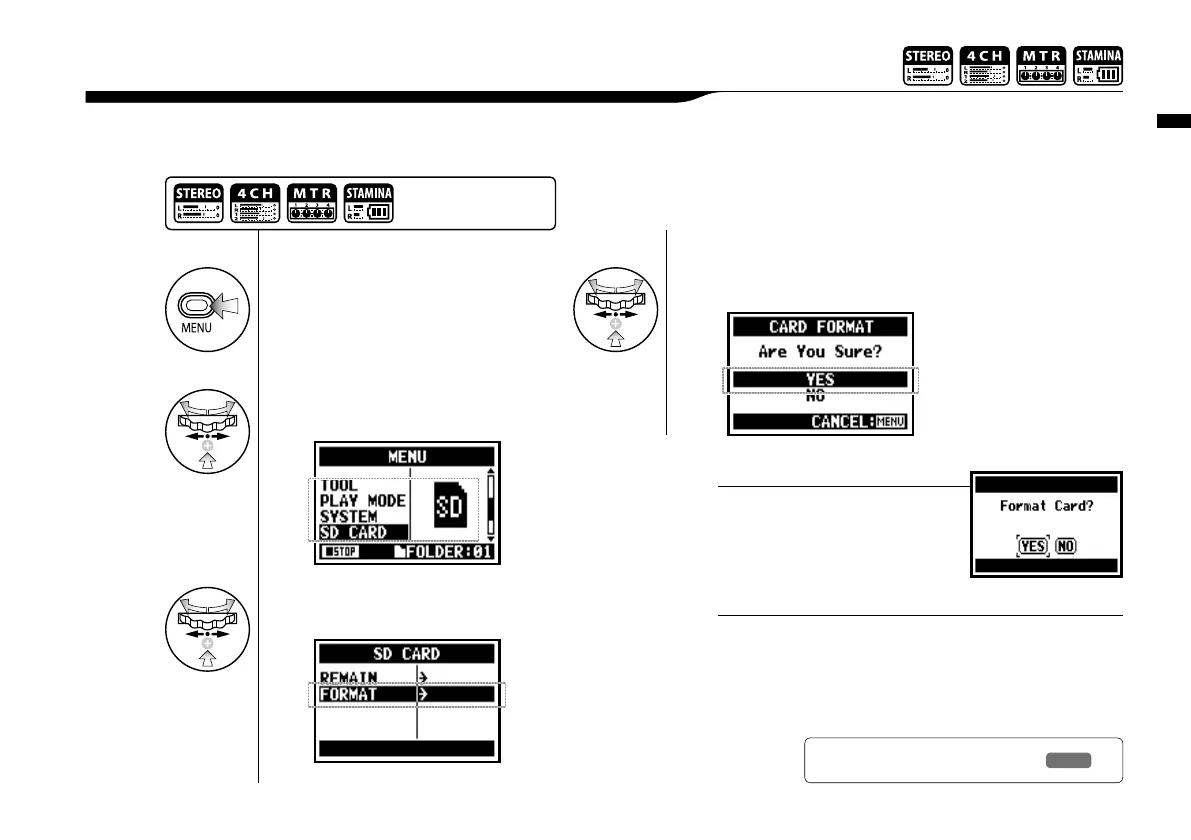
Formatting the SD card for the H4n.
6-07 Utility : <FORMAT>
1
Press.
• You cannot use this setting during recording and playback.
• Caution: When you format the SD card, all data will be
deleted.
• The SD cards used in a computer or a digital camera,
should be formatted by the H4n before using.
NOTE:
3
Select <FORMAT> and
press.
4
Select <YES> and press.
2
Select <SD CARD> and
press.
“Format Card”
If you insert an SD card not format-
ted for the H4n, during boot up the
unit says “Format Card?”
HINT:
Press the [MENU] button for
more than 2 seconds, and start
operation from the top screen.
Ref.
☞
SD card of H4 and H2
P.134



 To Next Page