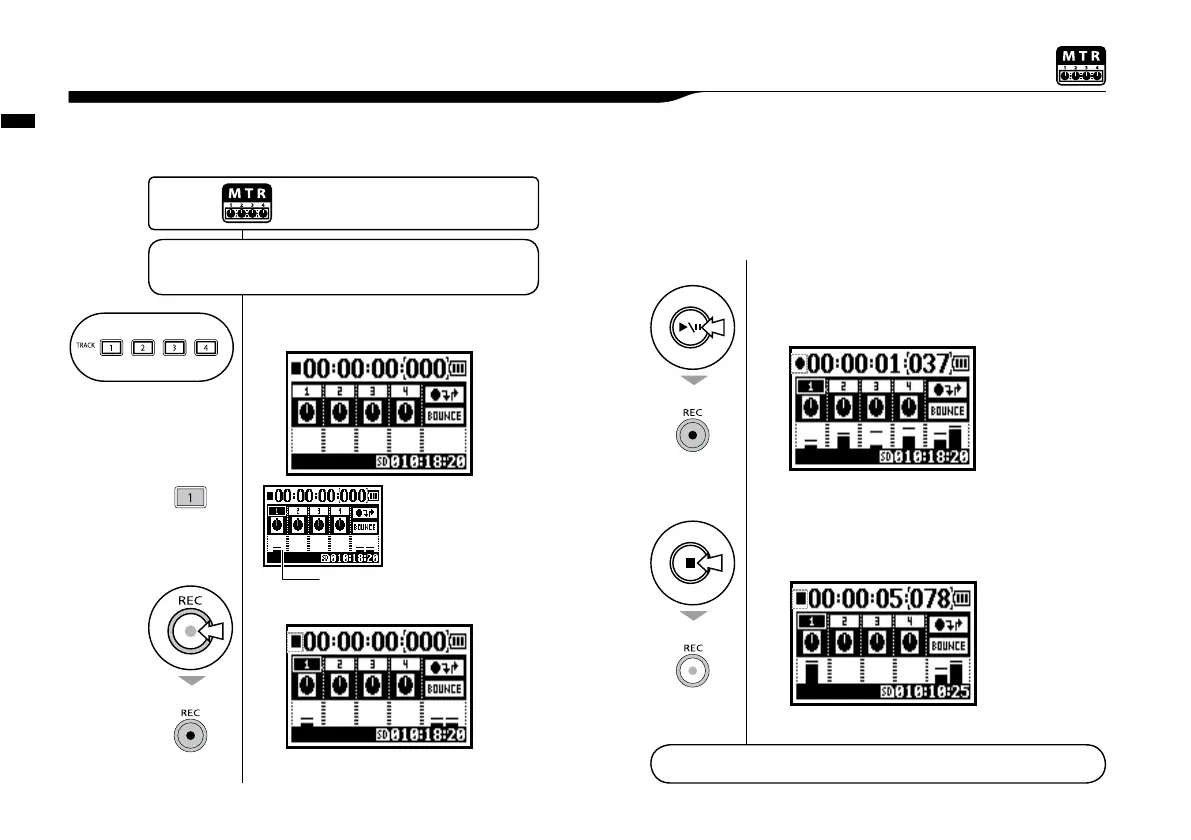
Setting / Recording: Recording <OVER WRITE> in MTR mode
057
You can select from two recording modes.
Using the <OVERWRITE> mode, you can overwrite new sounds on the existing file.
1-06-2 Setting / Recording: Recording <OVER WRITE> in MTR mode
1
Select the TRACK.
The selected
‘TRACK’ light on.
Counter won’t be reset to 0 when
using.
2
Press.
3
[START RECORDING]
press.
You can get back to the beginning of the file with the REW button. This will allow
you to listen to what you’ve just recording by pressing the PLAY/PAUSE button.
Counter doesn’t return back to 0.
4
[STOP RECORDING]
press.
Choose the appropriate
settings for your application
☞
Input setting � P.055
☞
Recording functions … P.059−
displays input level
light on
light on
light off
MTR MODE
TOP
Press the [MENU] button for
more than 2 seconds, and start
operation from the top screen.



 To Next Page