A sing-along machine <KARAOKE> preparation
092
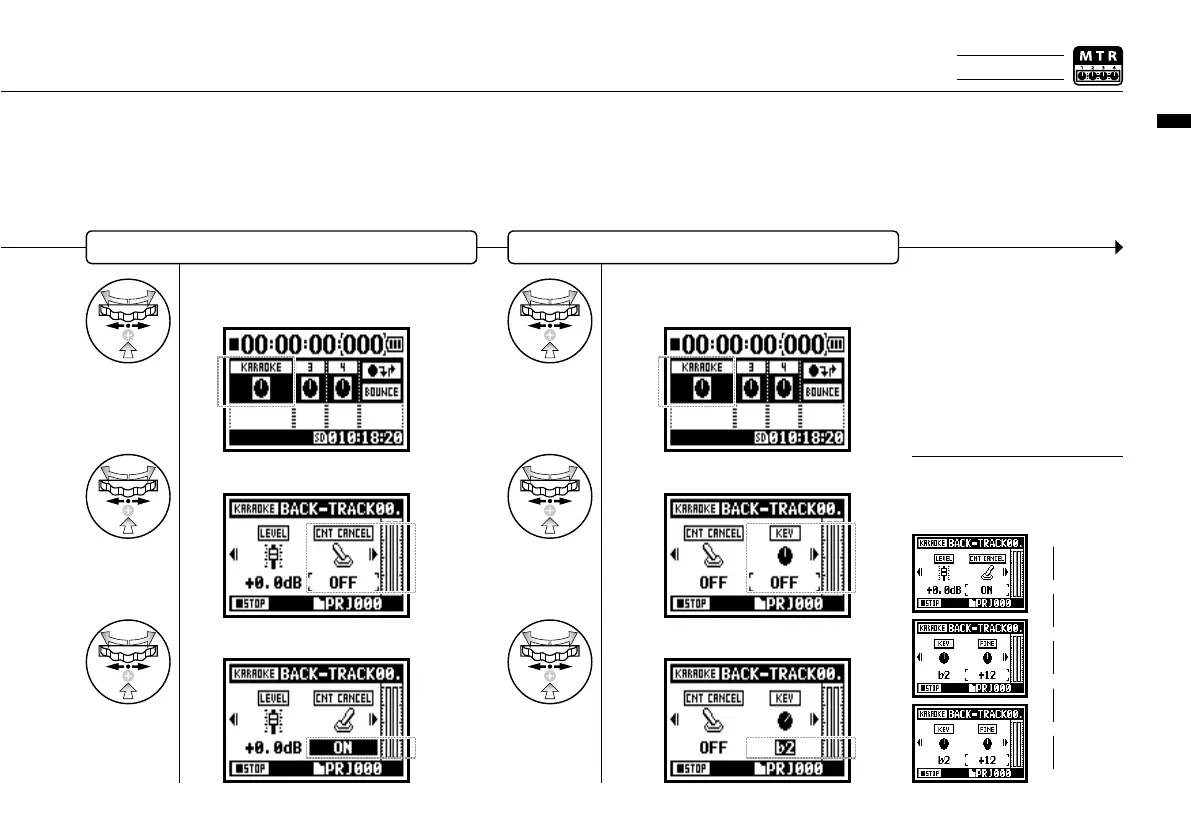
Change the KEY of KARAOKE track
Continue to the next page
The contents of KARAOKE
TRACK are different from a
general TRACK MENU.
HINT:
(LEVEL)
(CNT CANCEL)
(KEY)
(FINE)
(FILE)
(KARAOKE)
Make CENTER CANCELATION of the KARAOKE track
10
Select TRACK MENU icon
and press.
7
Select TRACK MENU icon
and press.
8
Select <CNT CANCEL> and press.
9
Convert that into <ON> and press.
11
Select <KEY> and press.
12
Adjust and press.
Only on MTR MODE



 To Next Page