7
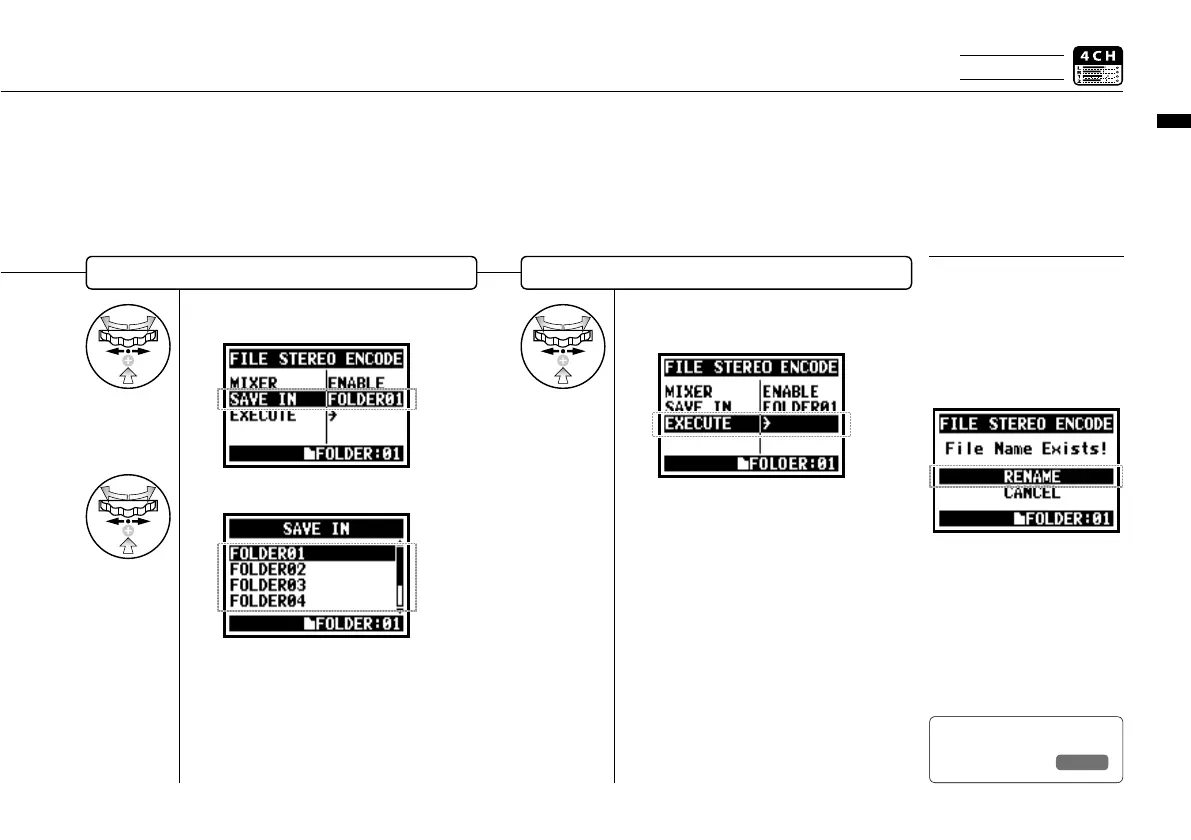
Select <SAVE IN> and press.
8
Select the <SAVE IN> folder and press.
Edit / Output : <FILE STEREO ENCODE>
114
Select <SAVE IN>
9
Select <EXECUTE>
and press.
EXECUTION
HINT:
You cannot have two files
with the same name. If the
screen says “File name exists!”,
select <RENAME> and set
up a different name.
The encoded files are stored
in the folder.
The file name automatically
given is the same as the one
on 4CH mode but M/I is
changed to MIX.
Select the folder on STEREO mode
to save the encoded files.
Ref.
☞
<FILE RENAME>
P.109
Only on 4CH MODE



 To Next Page