<MODE> screen: MAIN MENU
044
<PLAY MODE>
<MIXER>
<TOOL>
<SYSTEM>
<PLAY MODE>
<SYSTEM>
<SD CARD>
<SYSTEM>
<SD CARD>
<USB>
<SD CARD>
<USB>
<MODE>
<USB>
<MODE>
<MODE>
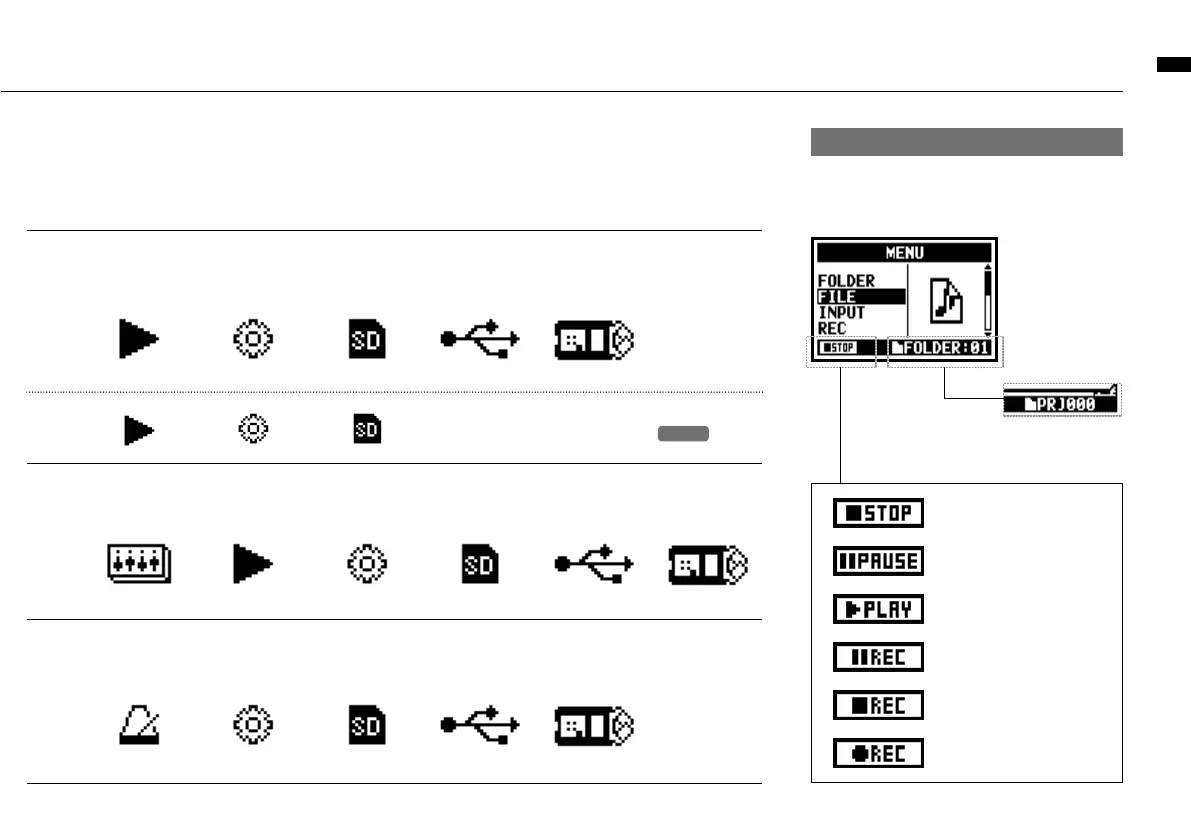
Display at the bottom of Menu screen
In the recording and playback menu, the current re-
cording condition is displayed at the bottom left of the
screen.
Set STAMINA mode with the STAMINA switch before starting
the unit when operating with battery power.
P.019
On the right bottom
of the screen the
current folder number
is displayed (On
Stereo, 4ch and
Stamina mode).
Stop
Pause (playback)
Playback
Recording Standby /
Pause
Recording Standby
On MTR mode and recording on
OVERWRITE
Recording
In MTR mode, the
current project name
is displayed.



 To Next Page