Setting / Recording: Set input source and recording level
048
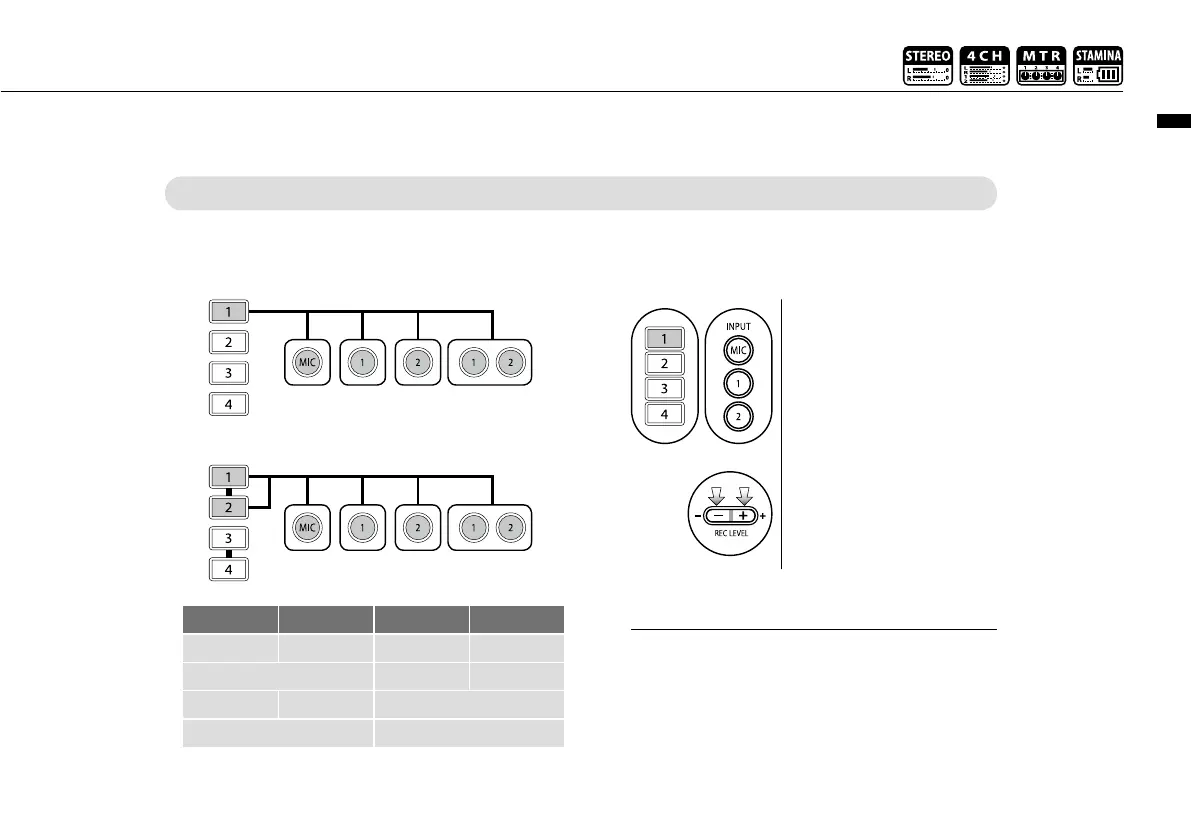
TRACK 1 TRACK 2 TRACK 3 TRACK 4
MONAURAL STEREO MONAURAL MONAURAL
STEREO MONAURAL MONAURAL
MONAURAL MONAURAL STEREO
STEREO STEREO
MTR MODE
Any of tracks 1-4 can be set for mono or stereo input.
SELECT the input per track one by one and adjust.
Use the REC LEVEL
1
Press the selected track
and input button.
2
Press REC LEVEL and
adjust the level.
SELECT the input to 2 tracks and adjust.
+
In MTR mode, you can record multiple tracks in
multiple passes. You can also send any input to any
track.
HINT:



 To Next Page