Setting / Recording: Recording on STEREO and STAMINA mode
050
In STEREO mode you can
record in 19 different file for-
mats using WAV and MP3.
Recording format must be
selected before recording of
a file begins.
HINT:
<REC FORMAT>
Recorded files are named
automatically. You can
choose from two formats:
<DEFAULT> and <DATE>.
<DEFAULT>
:
STE-×××
<DATE>
:
090531-×××
* The recording date is written.
The initial format is
<DEFAULT>
<FILE NAME> change
When the recording format
is WAV, you can mark your
file by pressing the [REC]
button while recording.
You can move swiftly to
the marked position during
playback. When you make
a temporary stop on WAV
FILE, the mark will be placed
at the stop position.
MARK
While recording and playback, no <REC FORMAT> change
nor FILE NAME TYPE change is possible.
NOTE:
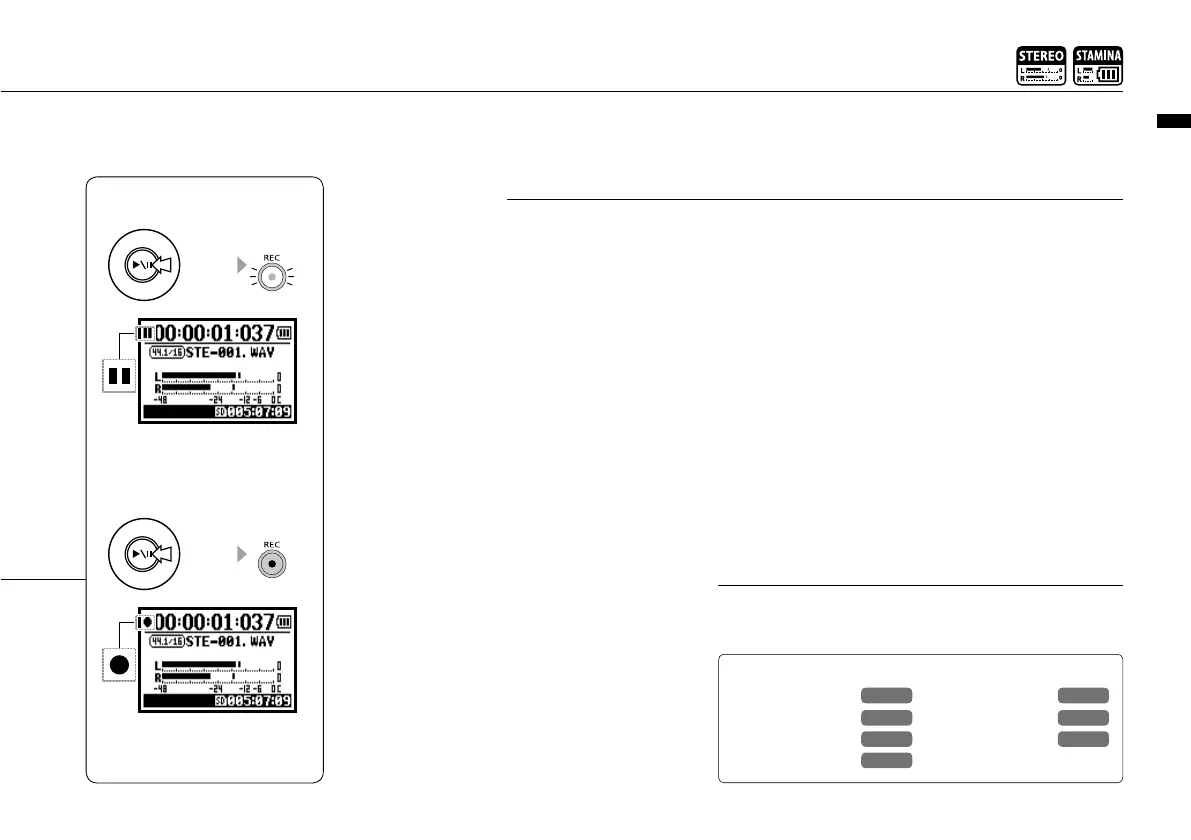
Press
light blinks
[TEMPORARY STOP]
Counter doesn’t return to 0.
blinks
Press
light on
[RECORDING AGAIN]
You can start recording from
the position you stopped on
the same file.
<PRE REC>
Ref.
☞
<AUTO REC>
<REC LEVEL AUTO>
<METRONOME>
P.079
Mark setting
P.096
P.065
P.070
P.067
<FILE NAME>
P.052
<REC FORMAT>
P.051



 To Next Page