3.User interface
33
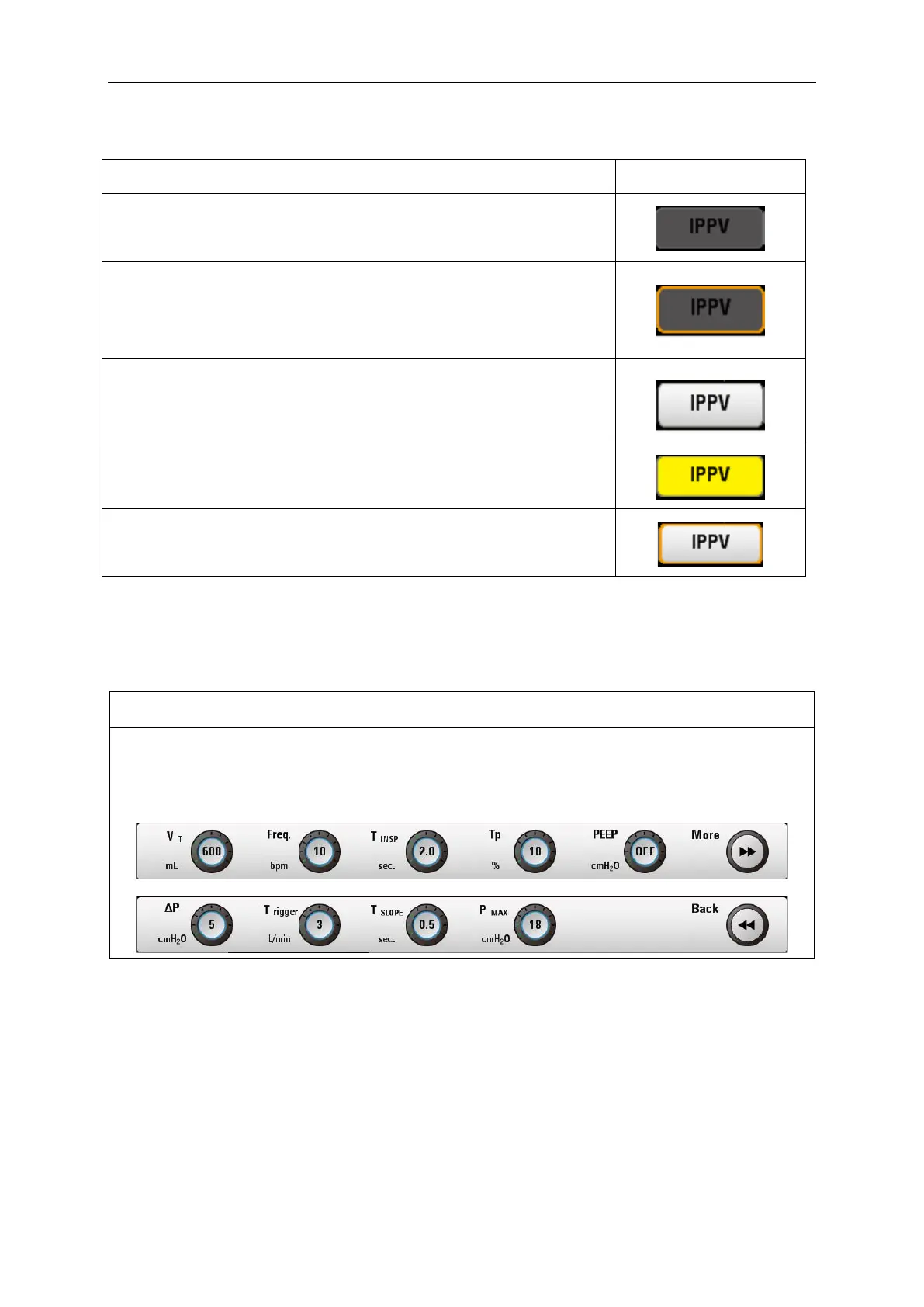
3.2.1.2 There are five states for the mode buttons as shown below:
Default – no operation to the ventilation mode area.
Focusing state - selecting the ventilation mode by rotating the knob,
the corresponding button will be framed.
White state – the mode is selected by pressing the knob.
Pending state- switching mode from one to another.
White focus state - rotate the knob to the current mode.
3.2.2. Parameter set and display area
3.2.2.1. Parameter display
Name description and Diagram
The parameter setting area is on the bottom of the screen, which is applied for real-time
respiratory parameter adjustment, including six setting buttons. Press the parameter button to
be set, and rotate the navigation button to adjust the parameter.



 To Next Page