5.Operating guide
87
5.7.6. Tests
In standby mode, when the “Check” button is selected and pressed, the system test will be
performed including the Leak test and Compliance Test.
CAUTION: Check can only be performed in standby mode.
5.7.6.1. Leak Test
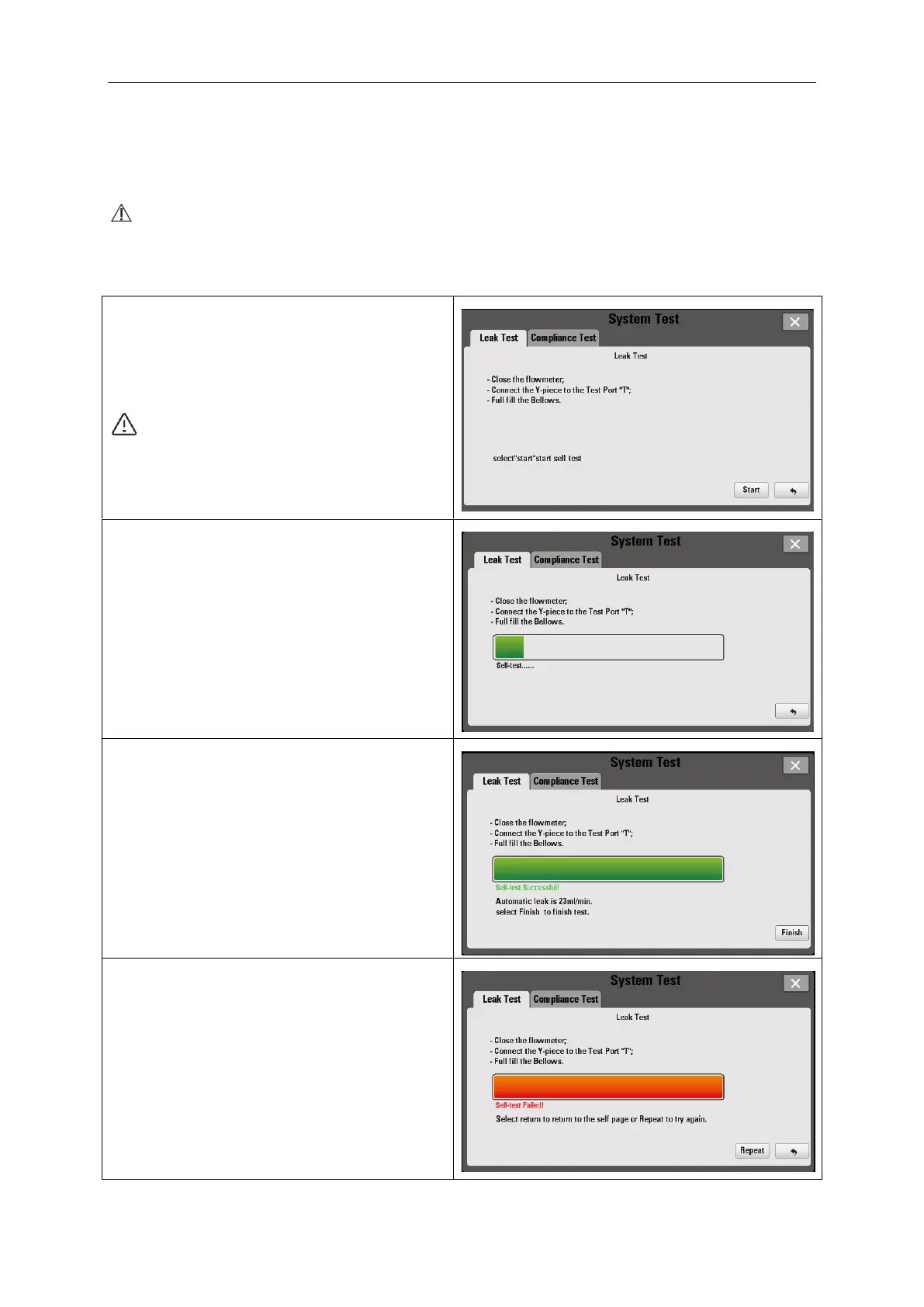
After the “Check” button is selected, the
interface is shown as the figure on the right.
Follow the on-screen instructions to perform
test
CAUTION: Leak Test can only be
performed in standby mode.
Select “Start” to perform Leak Test after
completing the on-screen procedures.
If the Leak Test succeeds, the interface is
shown as the picture on the right.
Select “Finish” to perform Compliance Leak
If the Leak Test fails, the interface is shown as
the picture on the right.
Press the “Repeat” button to perform the Leak
Test again.
Press the “Return” button to enter into normal
interface.



 To Next Page