78
5.6.2. Ventilation mode setting
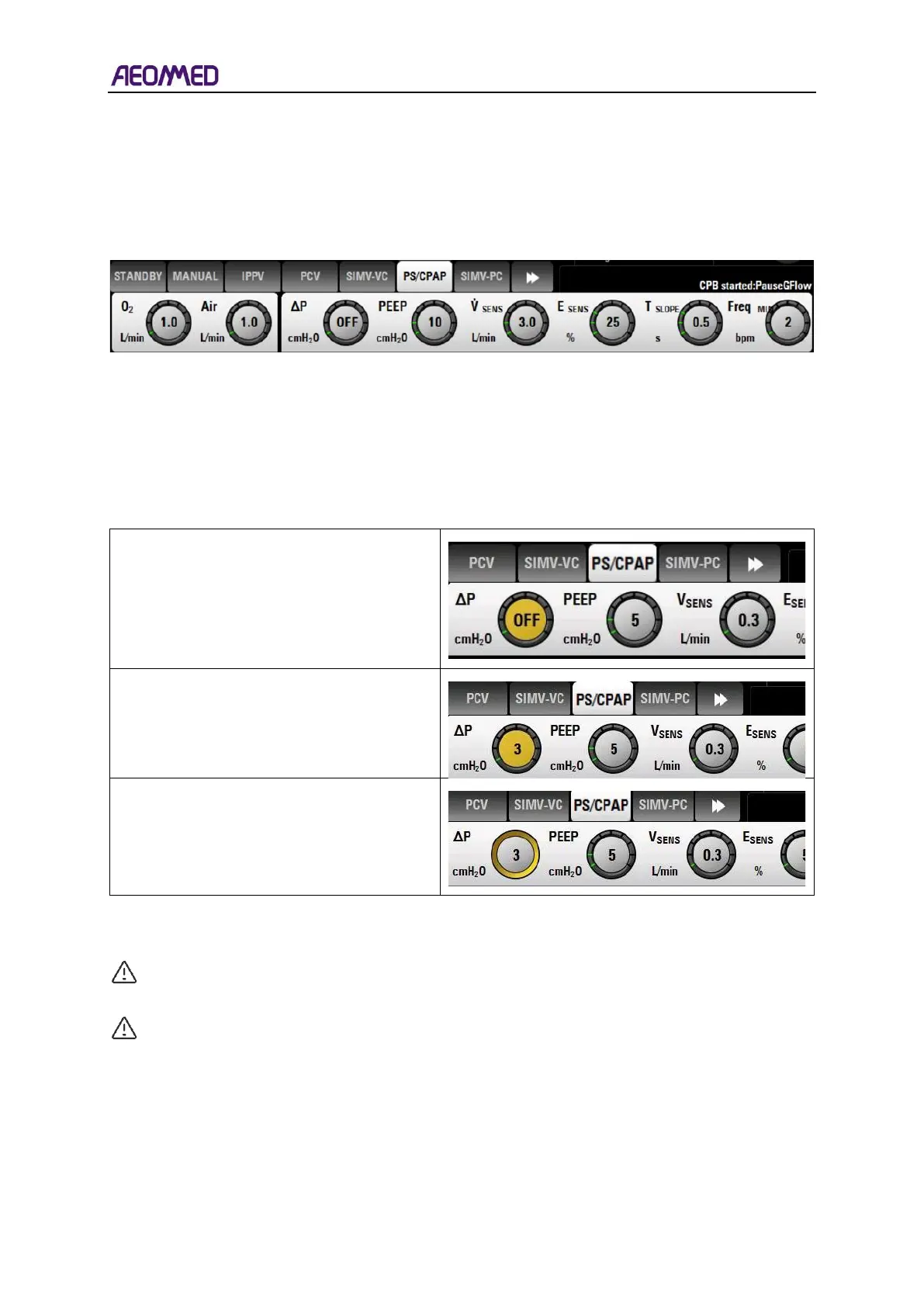
In the "breathing mode setting area", the breathing mode can be selected and set according to the
actual situation of patients.
For example:Select PS/CPAP mode, click PS/CPAP mode button, and the button will turn to the
selected state (white). In this state, the corresponding breathing parameters can be set.
Table 5-12 parameter set area
5.6.3. Mode parameter setting
If the patient type and ventilation mode have been selected, the system will display default
parameters according to the ventilation mode. The user could set the needed breathing parameter.
ΔP of PS mode is used below as an example of how this is done. These instructions also apply to
other modes and parameters.
Click the parameter button to be set, for
example ΔP. The ΔP button will be at
pre-selection state.
5.7. Menu screens
WARNING: The operator should check whether the current alarm setting applies to the
current patient before use.
CAUTION:The alarm setting will remain until the next power is on.
5.7.1. Alarm setting
The alarm settings can be opened by touching the Alarm shortcut key. The alarm setting menu
includes four sub-options: Vent, Gas, Agent, and Log. The default alarm sub-option on start-up is
Vent Alarm limits.



 To Next Page