84
5.7.3.3. CO
2
/Agents calibration
The user can verify CO
2
or anaesthetic gas in
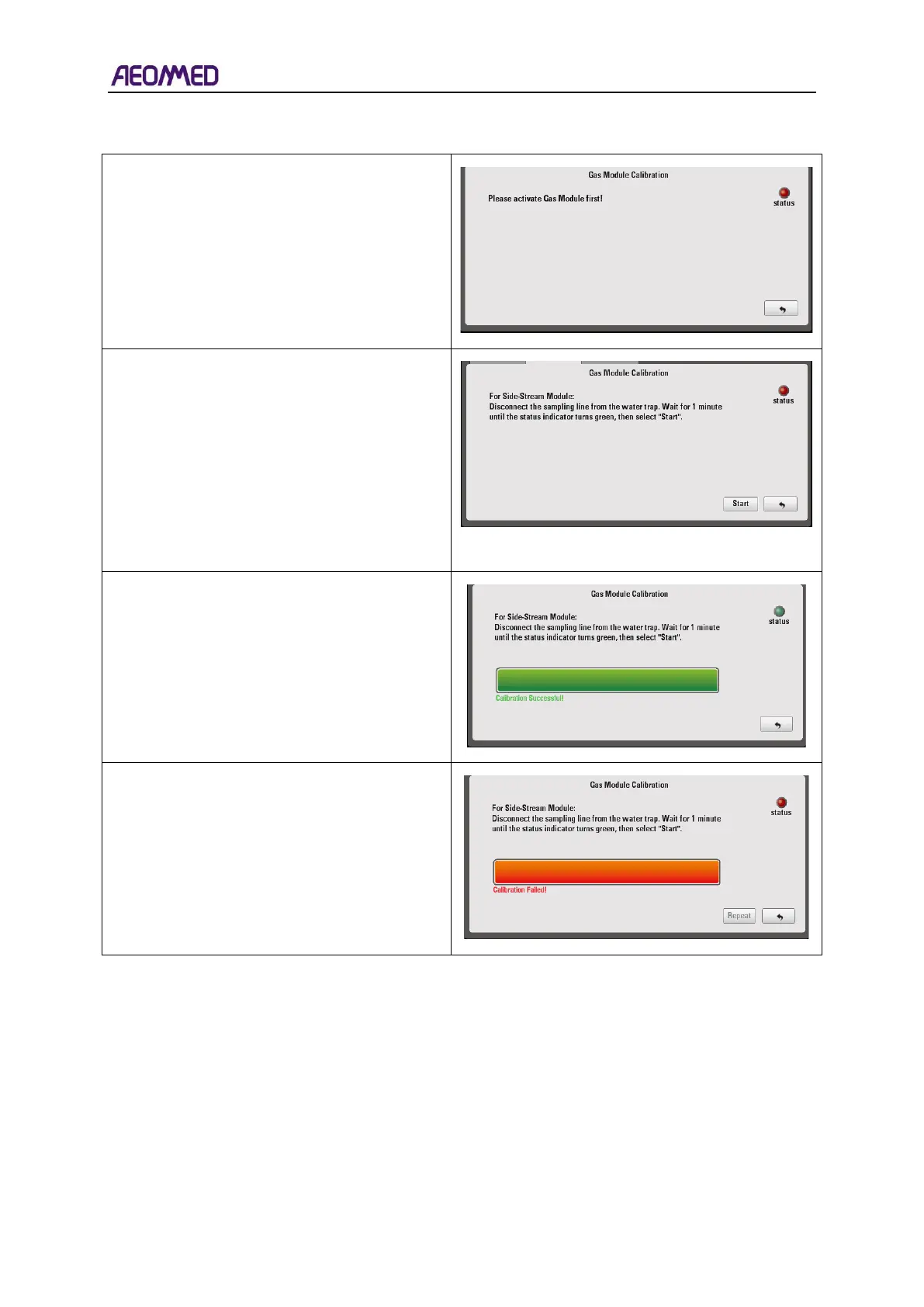
the Air. If gas module is not activated, the
interface will display “Please activate Gas
Module first!”, and the status indicator is red.
If gas module is activated, select “Start” to
calibrate.
If the calibration succeeds, the interface will
display “Calibration Successful”, the running
bar’s color will be green, and the status
indicator will be green.
If the calibration fails, the interface will display
“Calibration Failed”, the running bar’s color
will be red, and the status indicator will be red.
5.7.4. Trend
The trend menu includes two sub-menus: Data and Graphics.
When the trend shortcut is selected, the trend data can be viewed. The machine will record the
last 8 hours of trend data.
The trend time will appear on the left side of the menu, and the trend data will appear on the right
side of the menu, including P
peak
, P
plat
, P
mean
, PEEP, Freq, V
t
, MV, FiO
2
, etCO
2
, FiCO
2,
Agent1,
Agent2, N
2
O, MAC, FG-O
2
, FG-AIR and FG-N
2
O.



 To Next Page