5.Operating guide
83
5.7.3.2. Paramagnetic oxygen sensor calibration (If application)
CAUTION: For a new machine, the paramagnetic oxygen sensor must be calibrated after
installation and calibrated once every two years.
CAUTION: Paramagnetic oxygen sensor calibration can only be performed in Standby mode.
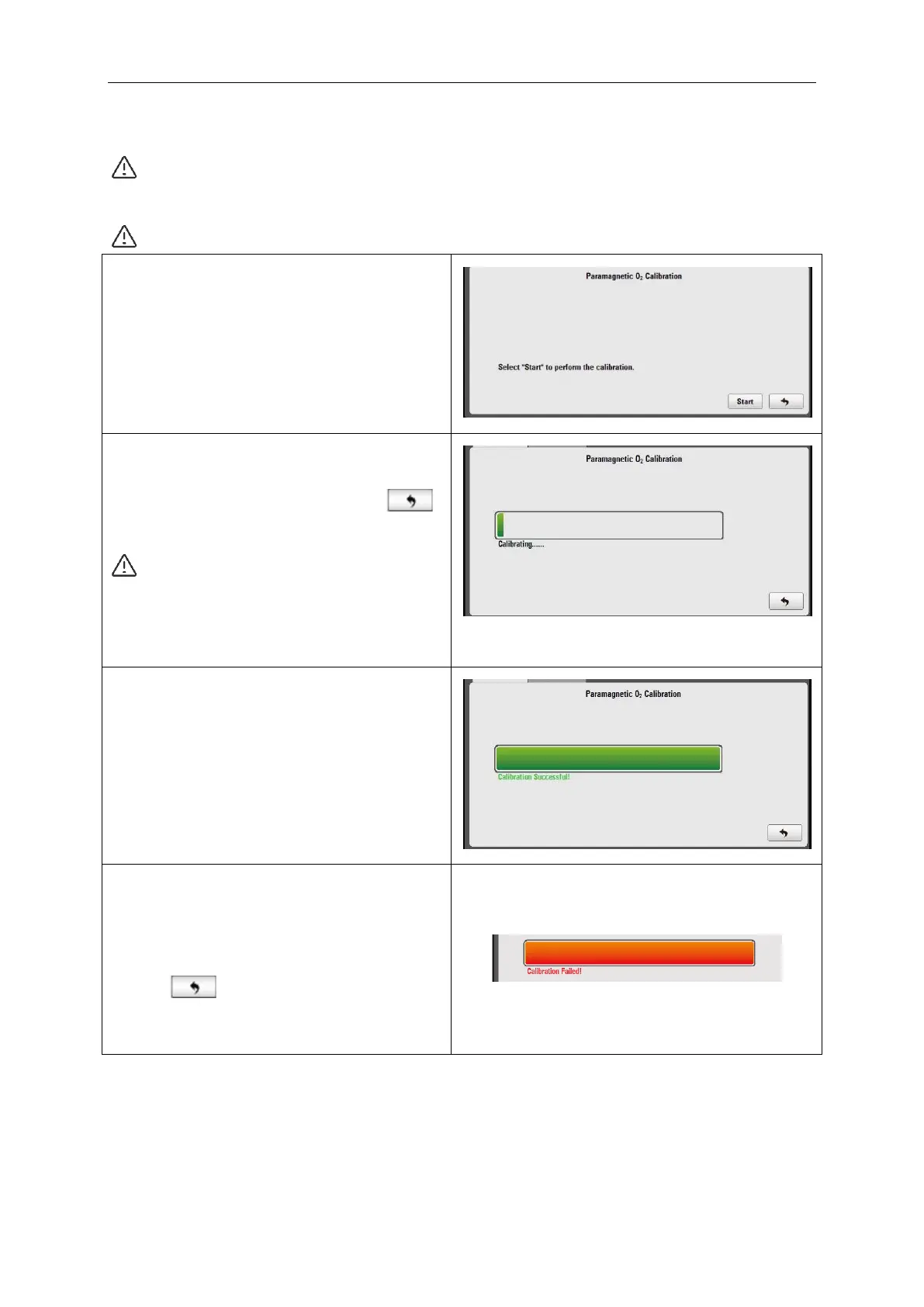
Select “O
2
Sensor” to enter into the calibration
interface.
If the O2 sensor is not connected, the Start
button shall be invalid (gray color) and could
not be selected.
The calibration menu of paramagnetic oxygen
sensor has two buttons at the lower right
corner of the sub menu: “Start” and “ ”.
Select “Start” to perform the calibration.
Note: Paramagnetic Oxygen Sensor
Calibration screen does not prompt any
message. Calibration process may take
up to 3 minutes.
When the calibration is successful, the
interface will display “Calibration Successful”
and the running bar will be completely green.
On the calibration interface, there is a voltage
value (300~360mV). After calibration, if the
voltage value is lower than 300mV, then the
sensor should be replaced; if the voltage
value is higher than 360mV, repeat calibration
a second time.
If the calibration fails, the interface will display
“Calibration Failed” and the running bar will be
completely red.
Select “Repeat” button to calibrate again or
select “ ”, the focus will return to the
menu tab of Oxygen Sensor.



 To Next Page