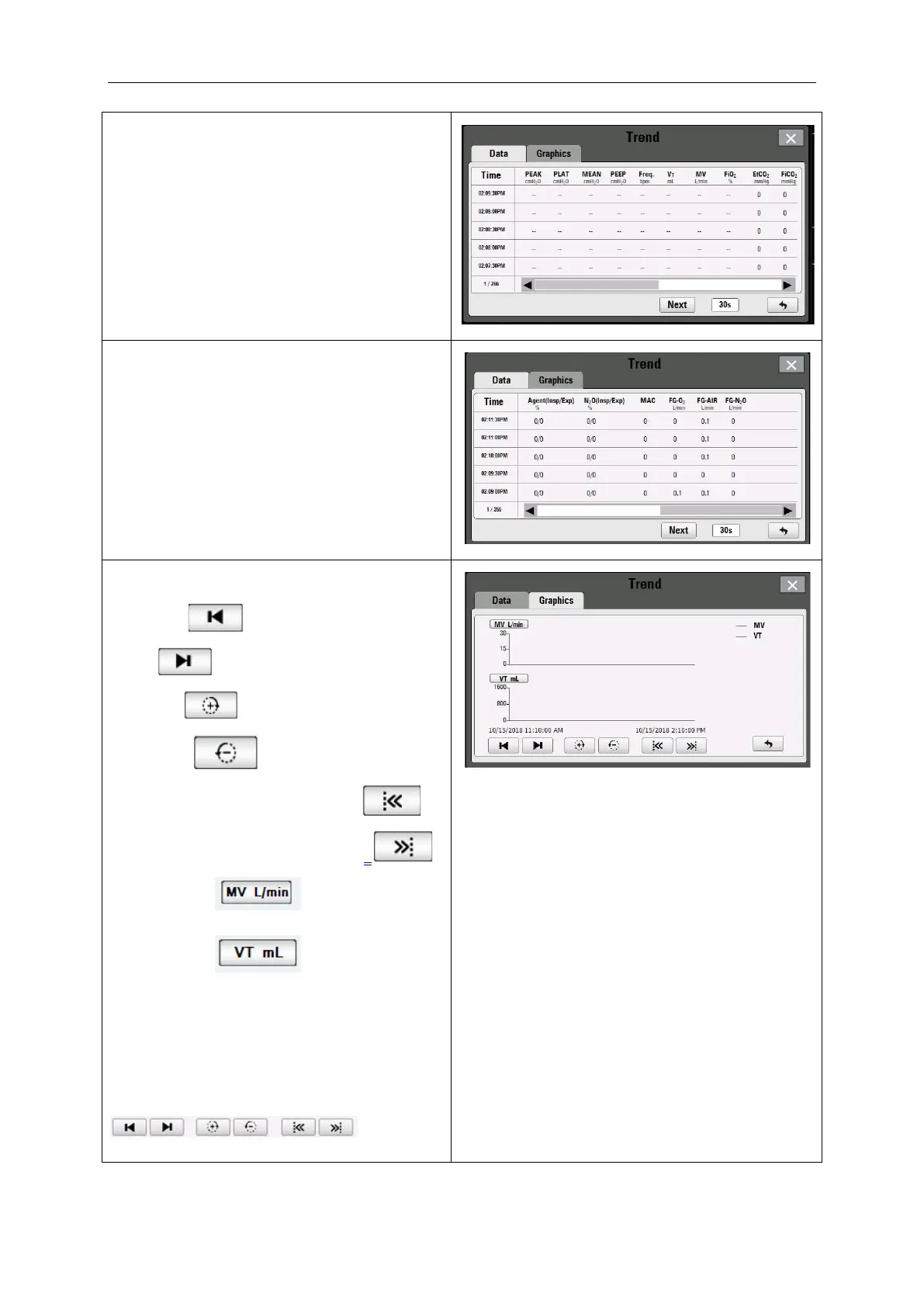
The first page contains data of 10 parameters,
as shown in Figure.
The interval time can choose 30 seconds, 1
minute, 3 minutes, or 5 minutes. The factory
default setting is the 30s. If the time interval is
5 minutes, the machine records that do time
can reach one month.
The next page contains data from 7
parameters, as shown in Figure.
The Graphics have 9 buttons:
Previous: ;
Next: ;
Zoom in: ;
Zoom out: ;
Forward and point of dashed line: ;
Backward and point of dashed line: ;
Wave 1 type: ;
Wave 2 type: ;
The wave type includes Pressure, CO
2
, Agent,
MV, V
t
and O
2
, the factory default setting is
MV and V
t
.
Click wave button shall be select wave type.
Change the wave type by touching
in the
bottom of the page.



 To Next Page