88
5.7.6.2. Compliance Test
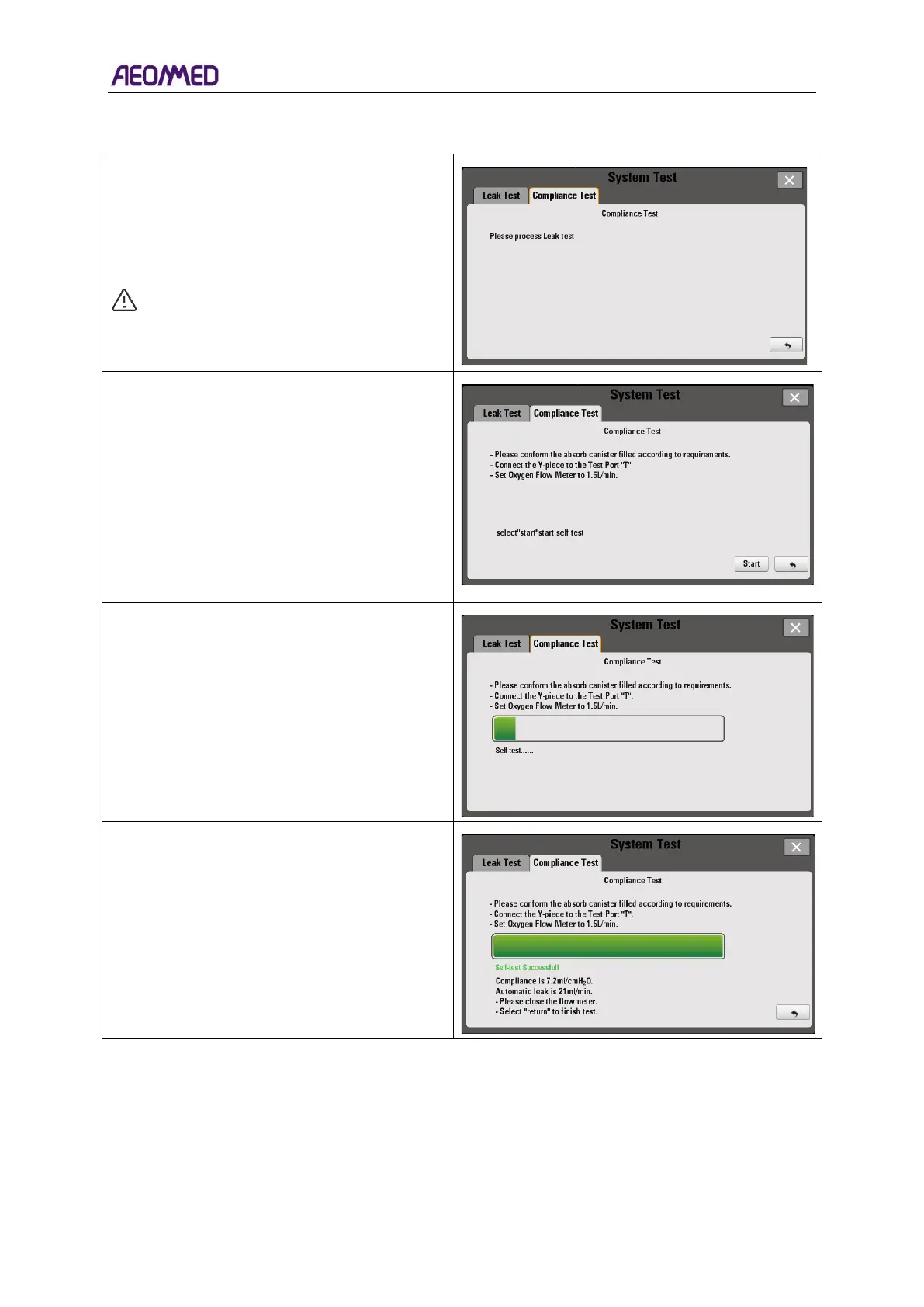
Press the “Compliance Test” sub-menu, if the
interface is shown as the picture on the right;
select the “Leak Test” to perform a leak test.
Press “Return” to return to the normal
interface.
NOTE: Perform the Leak Test prior to the
Compliance Test when starting the
system test.
If the Leak Test is performed first, the interface
as the picture shown on the right appears after
selecting the Compliance Test sub-menu.
Follow the on-screen instructions to perform
the test.
Press the “Start” button to perform the
Compliance Test after completing the
on-screen procedures.
If the Compliance Test is success, the
interface is shown as the picture on the right.
Press the “Return” button to finish the test.



 To Next Page