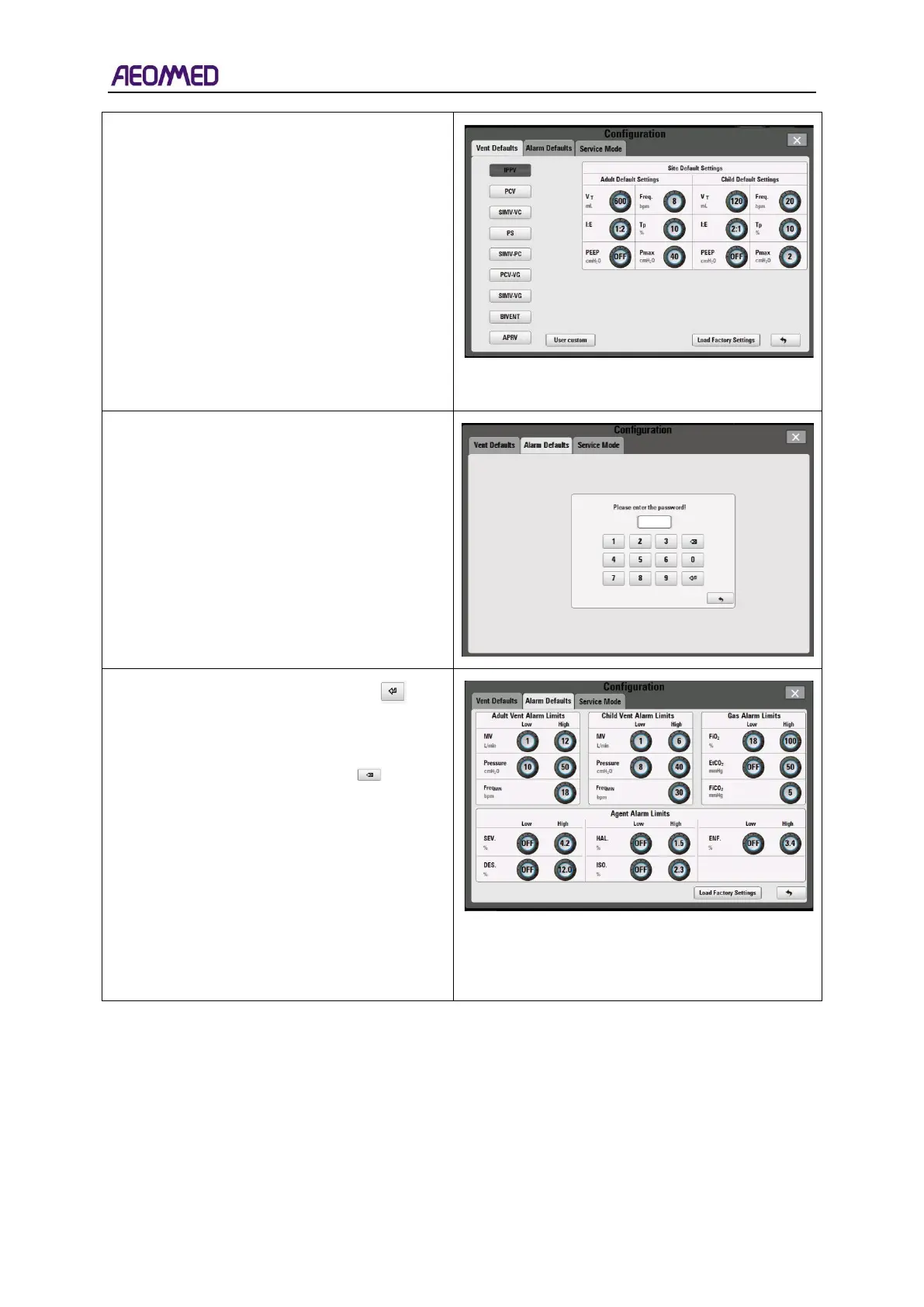
Press the ventilation mode to be set, such as
IPPV, and the interface shown in the right
figure will appear.
Select parameters and set corresponding
parameter values.
Press the "load factory settings" button, and all
ventilation default values will be restored to the
factory settings.
Select the Alarm Defaults sub-menu, the
interface shown as the picture on the right
appears.
Enter password “2020” and click on “ ”, the
interface shown as the picture on the right
appears
If enter wrong password, click on “ ” to clear
the entered number.
There are four alarm limits in the “Alarm
Defaults” tab, including Adult Vent Alarm
Limits, Child Vent Alarm Limits, Gas Alarm
Limits and Agent Alarm Limits.
Settings entered will be used as the default
settings after unit power up. "Load Factory
Settings" button when pressed, will change the
default settings to the factory defaults.



 To Next Page