Connect a PCI-Express card such as audio, network, or expansion card to enhance the capabilities of your computer.
9. PCI-Express x4 slot
Connect a PCI-Express card such as audio, network, or expansion card to enhance the capabilities of your computer.
10.PCI-Express x16
Connect a PCI-Express graphics card for optimal graphics performance.
11. Back panel
Connect USB, audio, video, and other devices.
12. Right cover release button
Press the latch to quickly release the right cover from your computer.
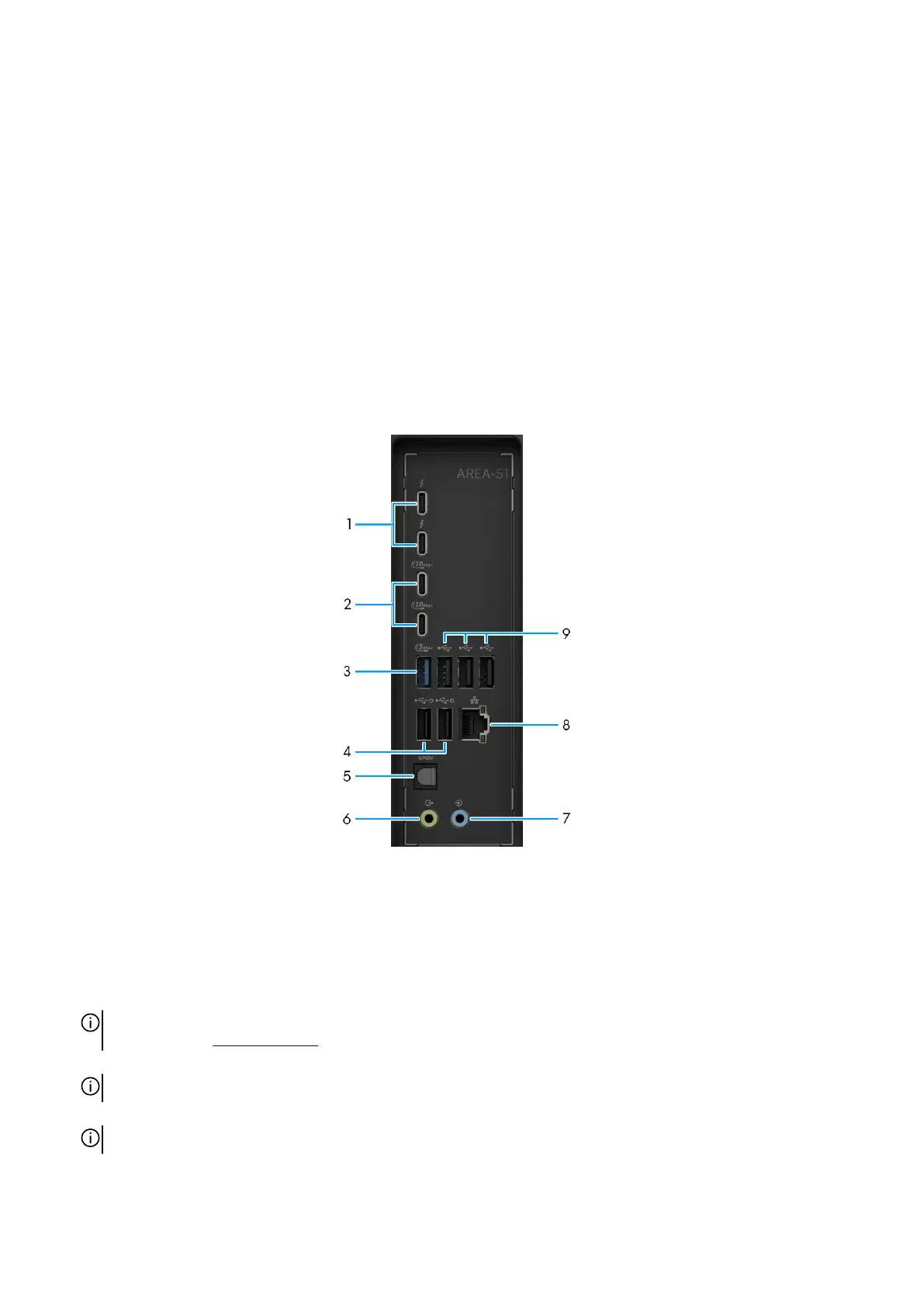
Back panel
Figure 3. Back panel view
1. Thunderbolt 4 (40 Gbps) ports with DisplayPort Alt Mode/USB Type-C/USB4/Power Delivery (2)
This port supports USB4, DisplayPort 2.1, Thunderbolt 4 and also enables you to connect to an external display using a display
adapter. It also supports data transfer rates of up to 40 Gbps for USB4 and Thunderbolt 4. This port supports power delivery up
to 15 W.
NOTE: You can connect a Dell Docking Station to the Thunderbolt 4 ports. For more information, search in the Knowledge
Base Resource at Dell Support Site.
NOTE: A USB Type-C to DisplayPort adapter (sold separately) is required to connect a DisplayPort device.
NOTE: USB4 is backward compatible with USB 3.2, USB 2.0, and Thunderbolt 3.
10 Views of Alienware Area-51 AAT2250















 To Next Page