Steps
1. Lay the computer on the right side.
2. Loosen the two captive screws that secure the M.2 2280 SSD thermal shield to the system board.
3. Lift the M.2 2280 SSD thermal shield off the SSD.
4. Remove the screw (M2x3.5) that secures the SSD to the system board.
5. Slide and lift the M.2 2280 SSD off SSD slot on the system board.
Installing the M.2 2280 SSD
You can view the video to remove or install an SSD. For more information, see QR code for SSD video.
Prerequisites
If you are replacing a component, remove the existing component before performing the installation procedure.
CAUTION: Solid state drives are fragile. Exercise care when handling the solid state drive.
About this task
NOTE: This procedure applies only to computers shipped with a M.2 2280 SSD. The M.2 SSD slots are marked as M.2 PCIe
SSD-0, M.2 PCIe SSD-1, or M.2 PCIe SSD-2 on the system board.
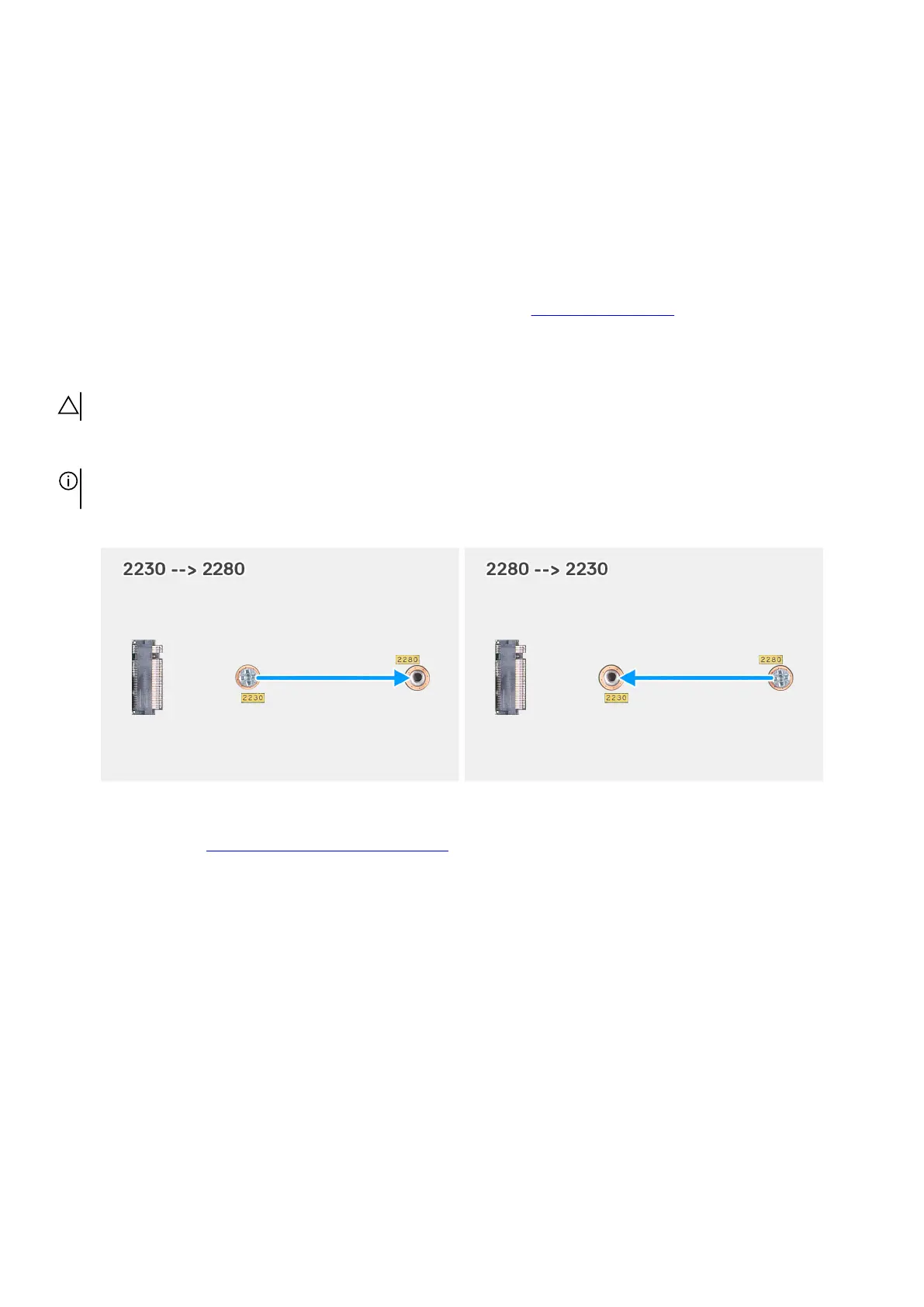
If you want to replace your M.2 2280 SSD with a M.2 2230 SSD, the SSD screw mount must be shifted to fit the M.2 2230 SSD.
Figure 61. SSD screw mount
Follow the procedure in Installing the M.2 2230 solid state drive, to install a M.2 2230 SSD.
The following images indicate the location of the M.2 2280 SSD and provide a visual representation of the installation procedure.
76 Removing and installing Customer Replaceable Units (CRUs)















 To Next Page