Figure 49. QR code for memory module video
Removing the memory module
You can view the video to remove or install a memory module. For more information, see QR code for memory module video.
Prerequisites
1. Follow the procedure in Before working inside your computer.
2. Remove the left cover.
About this task
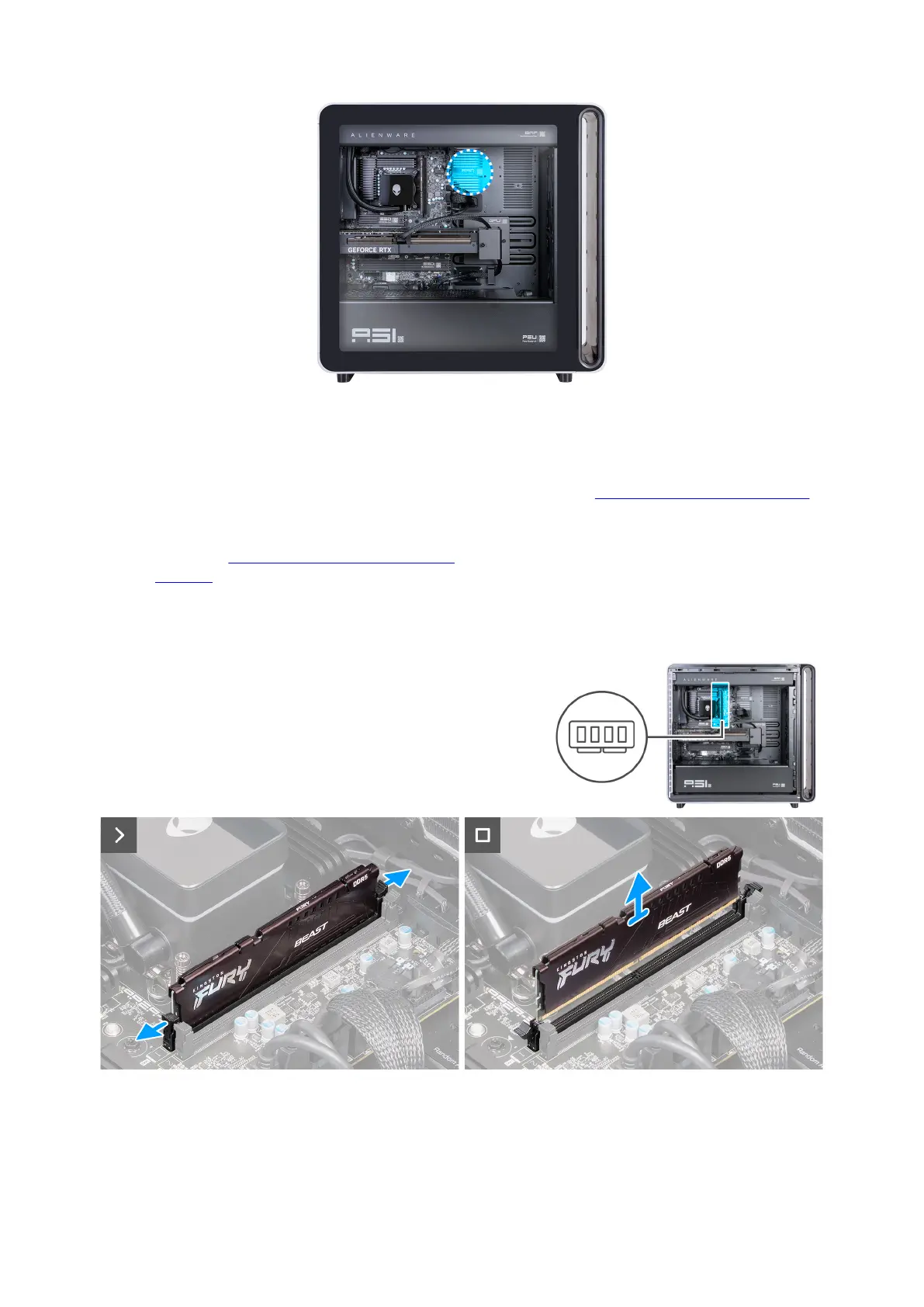
The following images indicate the location of the memory module and provide a visual representation of the removal procedure.
Figure 50. Removing the memory module
Steps
1. Lay the computer on the right side.
2. Push the securing clips away from the memory module.
Removing and installing Customer Replaceable Units (CRUs) 65















 To Next Page