Installing the fan grommets
CAUTION: The information in this installation section is intended for authorized service technicians only.
Prerequisites
If you are replacing a component, remove the existing component before performing the installation procedure.
About this task
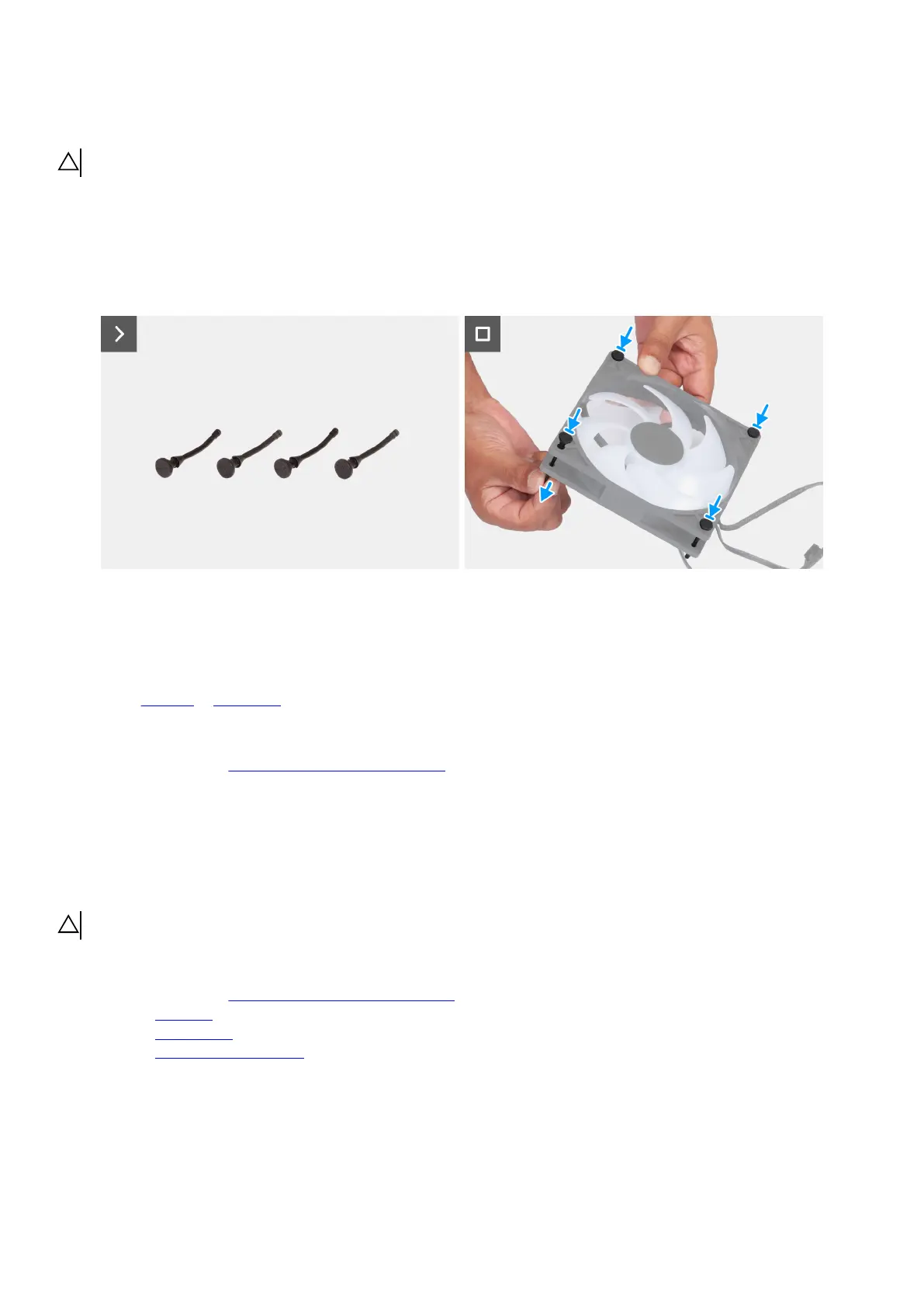
The following images indicate the location of the fan grommets and provide a visual representation of the installation procedure.
Figure 115. Installing the fan grommets
Steps
1. Hold the fan bracket at an angle, slide, and insert the fan grommet into the slot on the fan bracket.
2. Pull the fan grommet from the bottom onto the slot on the fan bracket until it slides completely and is held in place.
3. Install the front fan or bottom fan after replacing the fan grommets.
Next steps
1. Follow the procedure in After working inside your computer.
SMA cable
Removing the SMA cable
CAUTION: The information in this removal section is intended for authorized service technicians only.
Prerequisites
1. Follow the procedure in Before working inside your computer.
2. Remove the left cover.
3. Remove the wireless card.
4. Remove the power-supply unit cover.
About this task
The following images indicate the location of an SMA cable and provide a visual representation of the removal procedure.
128 Removing and installing Field Replaceable Units (FRUs)















 To Next Page