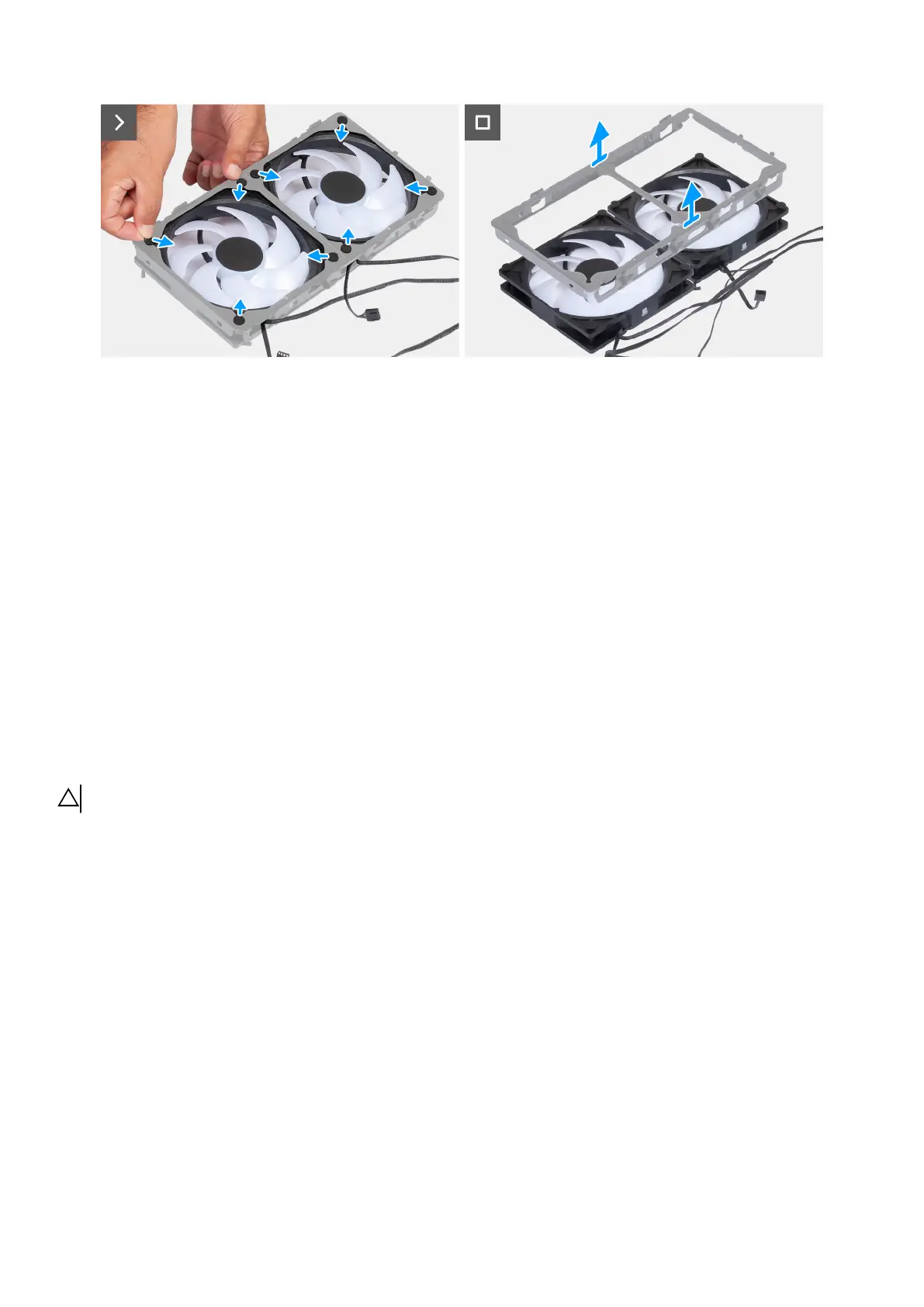
Figure 111. Removing the bottom fan
Steps
1. Lay the computer on the left side.
2. Disconnect the bottom fan LED cables from the connectors (FAN6 LED and FAN7 LED) on the AlienFX board.
3. Unlock the securing clip and remove the bottom fan LED cables from the securing clip.
4. Route the bottom fan LED cables (FAN6 LED and FAN7 LED) from the opening on the chassis.
5. Lay the computer on the right side.
6. Disconnect the bottom fan cables from the connectors (FAN6 and FAN7) on the system board.
7. Remove the two screws (M3x5) that secure the bottom fan to the chassis.
8. Push the tabs to release the bottom-fan assembly from the chassis.
9. Slide and lift the bottom-fan assembly off the chassis.
10.Place the bottom-fan assembly on a flat surface.
11. Remove the cables from the routing guides on the fan bracket.
12. Slide and release the fan grommets from the slots on the fan bracket.
13. Lift the fan bracket off the fans.
Installing the bottom fan
CAUTION: The information in this installation section is intended for authorized service technicians only.
Prerequisites
If you are replacing a component, remove the existing component before performing the installation procedure.
About this task
The following images indicate the location of the bottom fan and provide a visual representation of the installation procedure.
Removing and installing Field Replaceable Units (FRUs) 125















 To Next Page