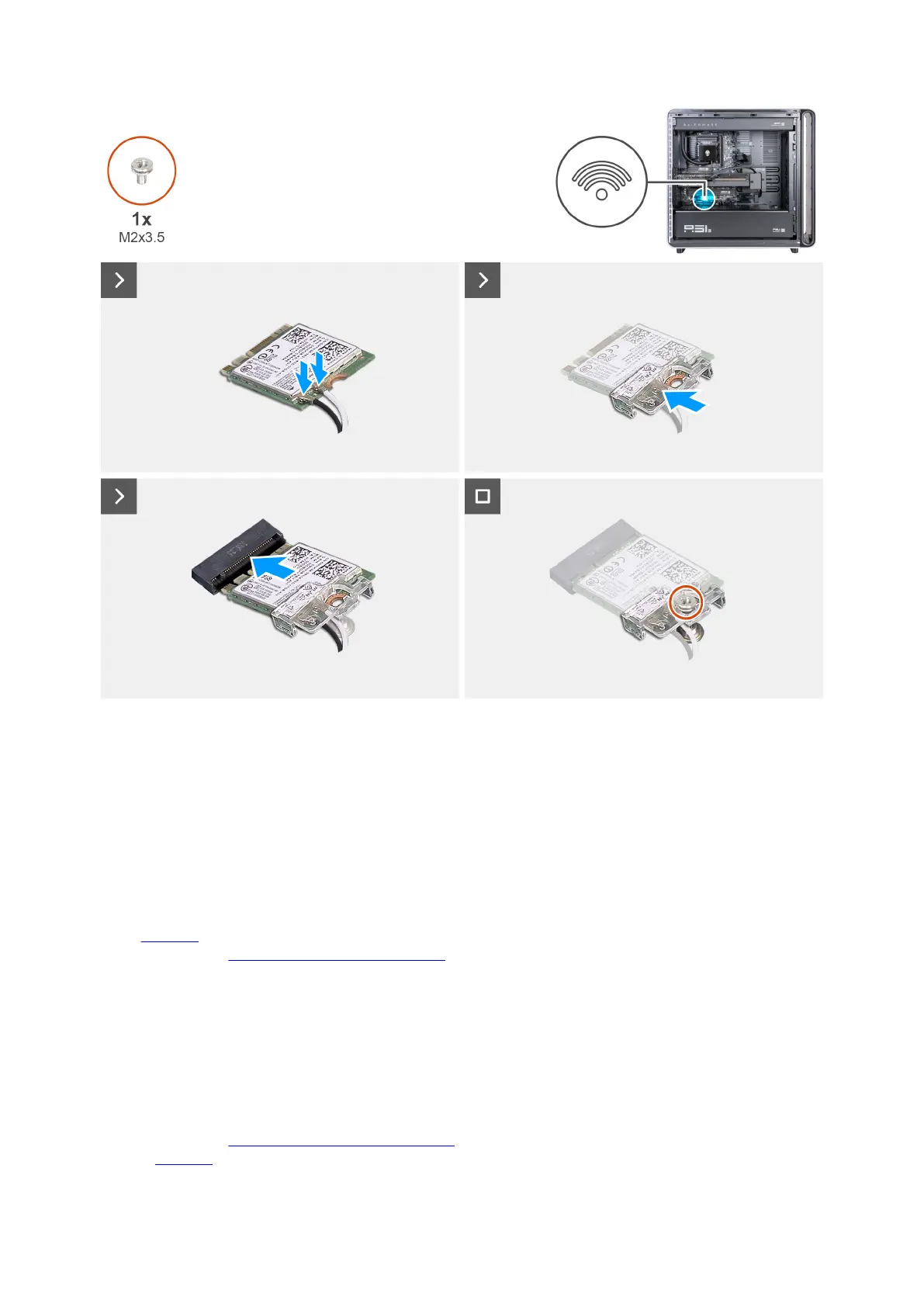
Figure 68. Installing the wireless card
Steps
1. Connect the SMA cables to the wireless card.
2. Align and place the wireless-card bracket on the wireless card.
3. Align the notch on the wireless card with the tab on the wireless-card slot.
4. Slide the wireless card at an angle into the wireless-card slot.
5. Replace the screw (M2x3.5) that secures the wireless card and wireless-card bracket to the system board.
Next steps
1. Install the left cover.
2. Follow the procedure in After working inside your computer.
Power-supply unit cover
Removing the power-supply unit cover
Prerequisites
1. Follow the procedure in Before working inside your computer.
2. Remove the left cover.
Removing and installing Customer Replaceable Units (CRUs) 83















 To Next Page