3. Lift the memory module off the memory-module slot on the system board.
NOTE: Repeat step 2 to step 3 to remove any other memory module installed in your computer.
CAUTION: To prevent damage to the memory module, hold the memory module by the edges. Do not touch the
components or metallic contacts on the memory module as electrostatic discharge (ESD) can inflict severe damage on
the components. To read more about ESD protection, see ESD protection.
Installing the memory module
You can view the video to remove or install a memory module. For more information, see QR code for memory module video.
Prerequisites
If you are replacing a component, remove the existing component before performing the installation procedure.
About this task
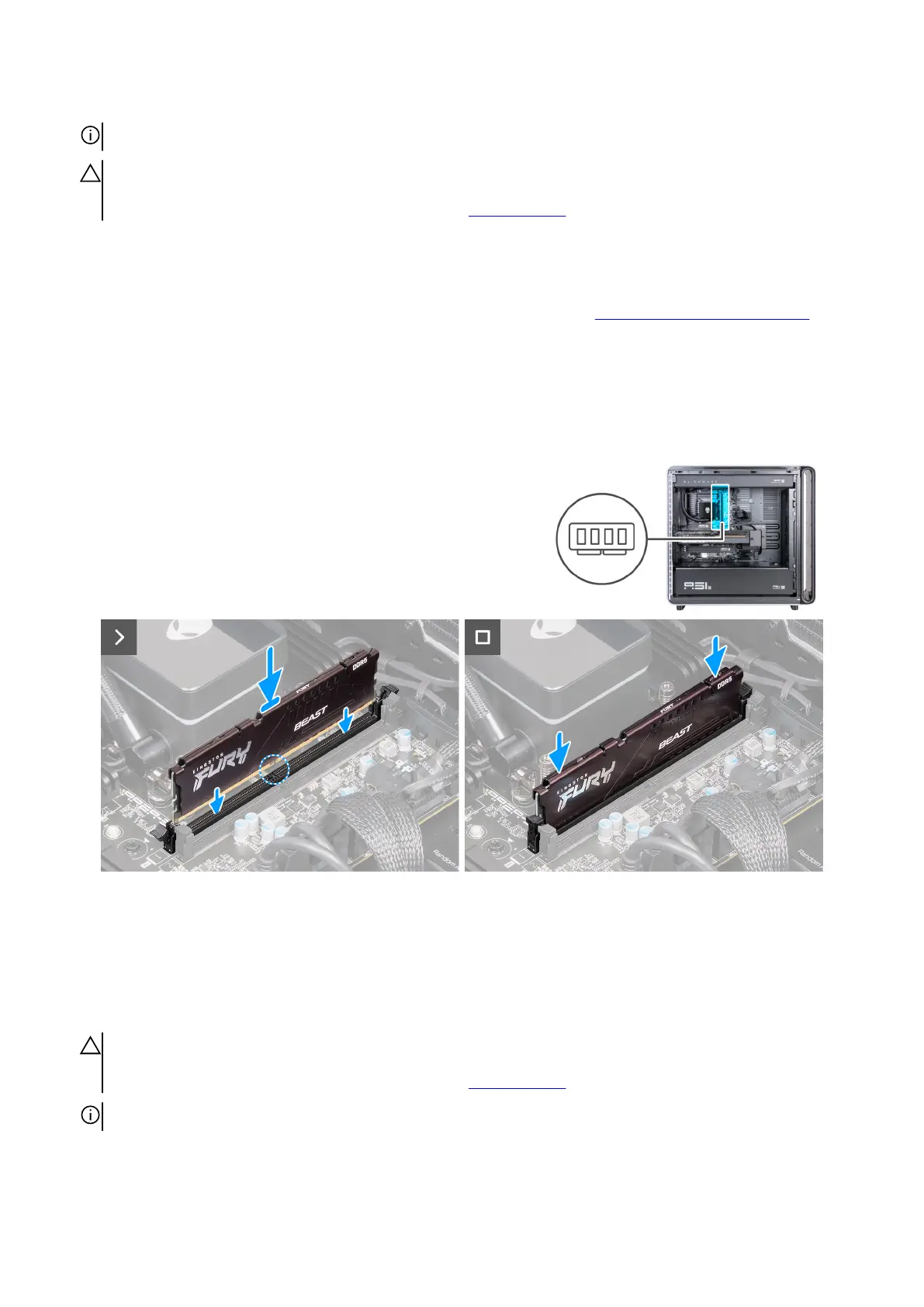
The following images indicate the location of the memory module and provide a visual representation of the installation procedure.
Figure 51. Installing the memory module
Steps
1. Ensure that the securing clips are extended away from the memory-module slot.
2. Align the notch on the memory module with the tab on the memory-module slot on the system board.
3. Insert the memory module into the memory-module slot and press the memory module down until it snaps into position and the
securing clips lock in place.
CAUTION: To prevent damage to the memory module, hold the memory module by the edges. Do not touch the
components or metallic contacts on the memory module as electrostatic discharge (ESD) can inflict severe damage on
the components. To read more about ESD protection, see ESD protection.
NOTE: Repeat step 1 to step 3 to replace any other memory module installed in your computer.
66 Removing and installing Customer Replaceable Units (CRUs)















 To Next Page