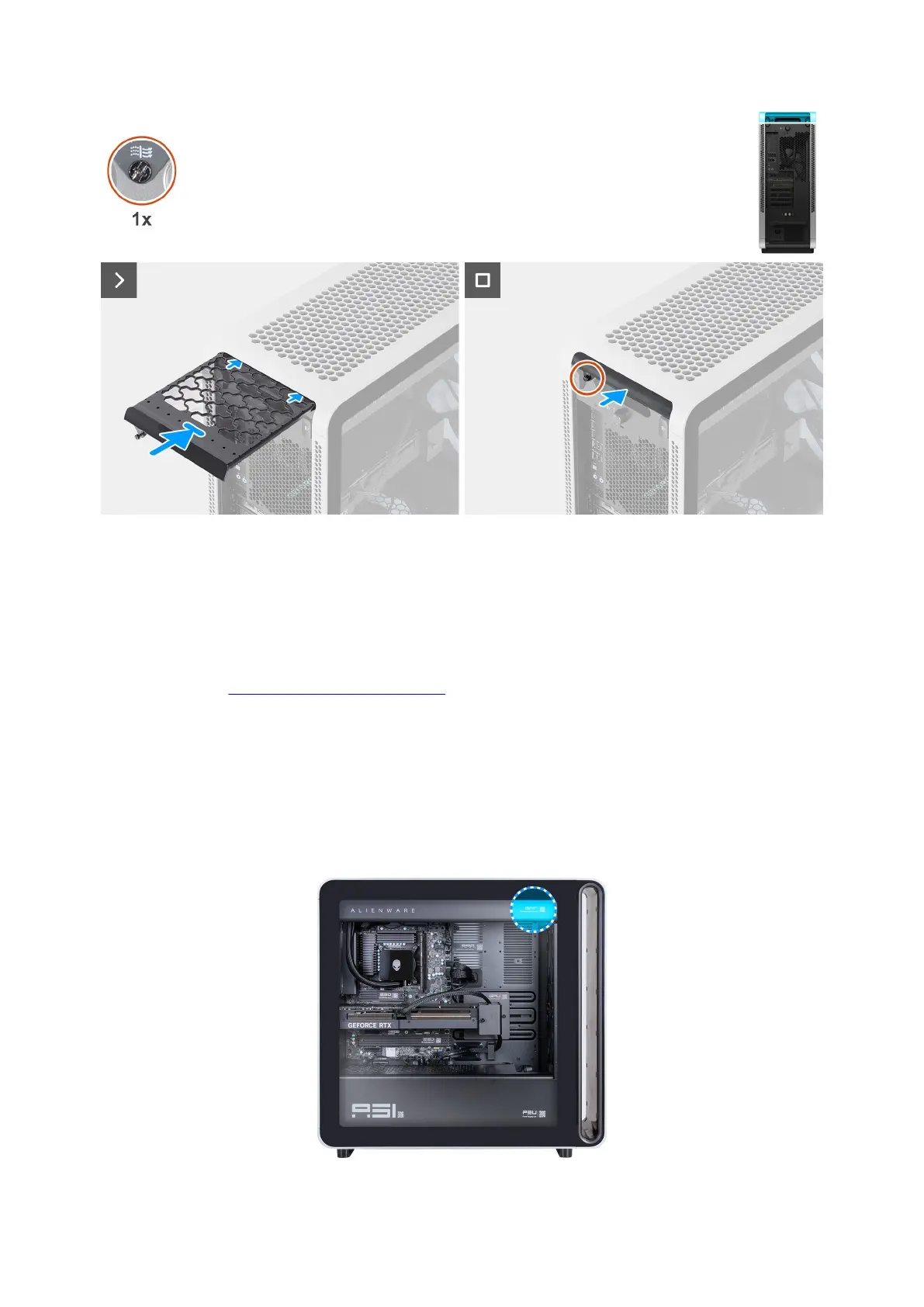
Figure 32. Installing the top fan filter
Steps
1. Insert the top fan filter into the slot on the top cover.
2. Tighten the captive screw that secures the top fan filter to the chassis.
Next steps
1. Follow the procedure in After working inside your computer.
Bottom fan filter
QR code for fan filter maintenance video
The following image indicates the location of the QR code for fan filter maintenance video. Scan the QR code on the chassis to view
the top, bottom, or front fan filter maintenance video.
Figure 33. QR code for fan filter maintenance video
Removing and installing Customer Replaceable Units (CRUs) 51















 To Next Page