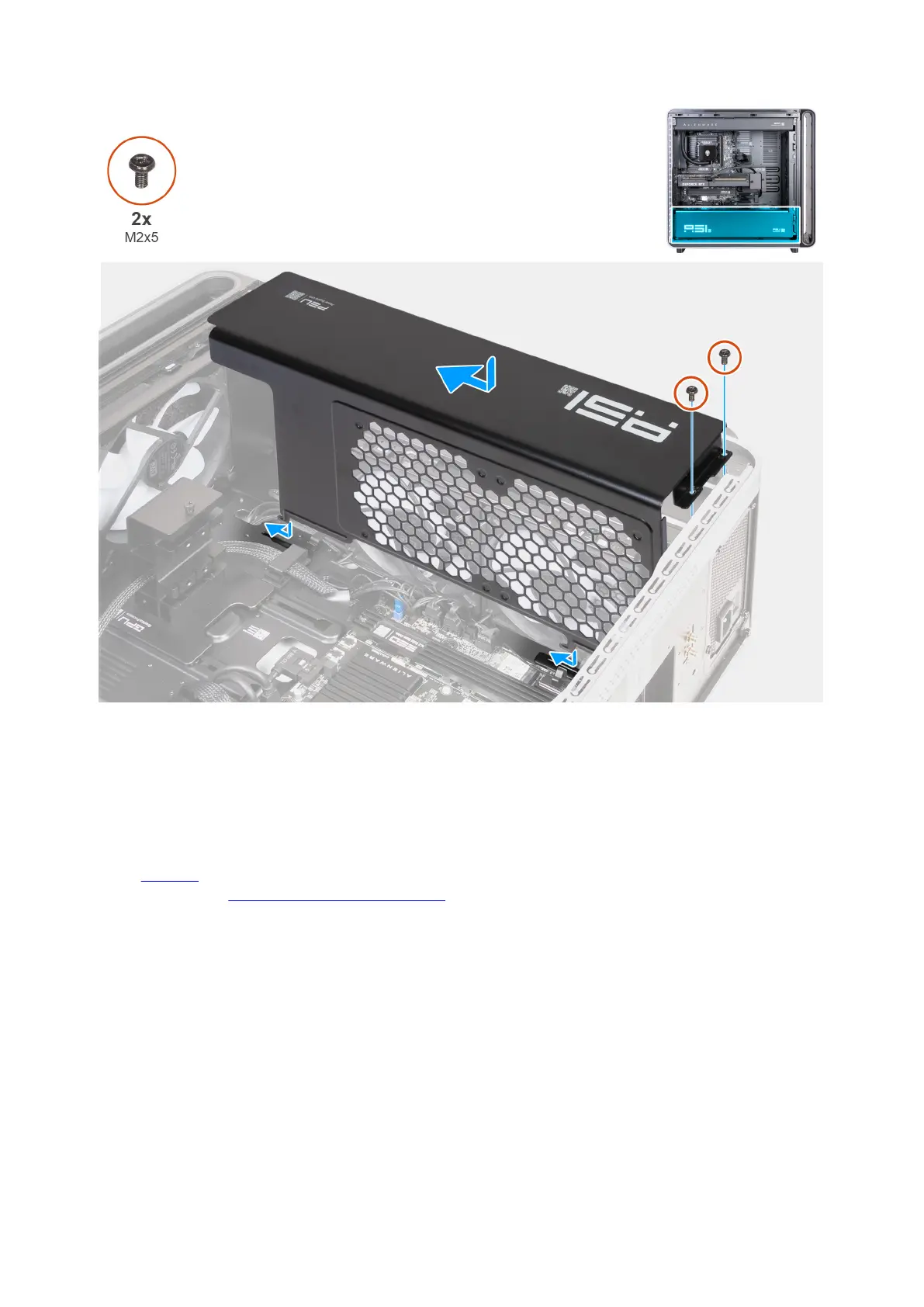
Figure 70. Installing the power-supply unit cover
Steps
1. Slide and lock the power-supply unit cover tabs to the slots on the top and bottom of the chassis.
2. Replace the two screws (M2x5) that secure the power-supply unit cover to the chassis.
Next steps
1. Install the left cover.
2. Follow the procedure in After working inside your computer.
Power-supply unit
QR code for power-supply unit video
The following image indicates the location of the QR code for power-supply unit video. Scan the QR code to view the power-supply
unit removal and installation video.
Removing and installing Customer Replaceable Units (CRUs) 85















 To Next Page