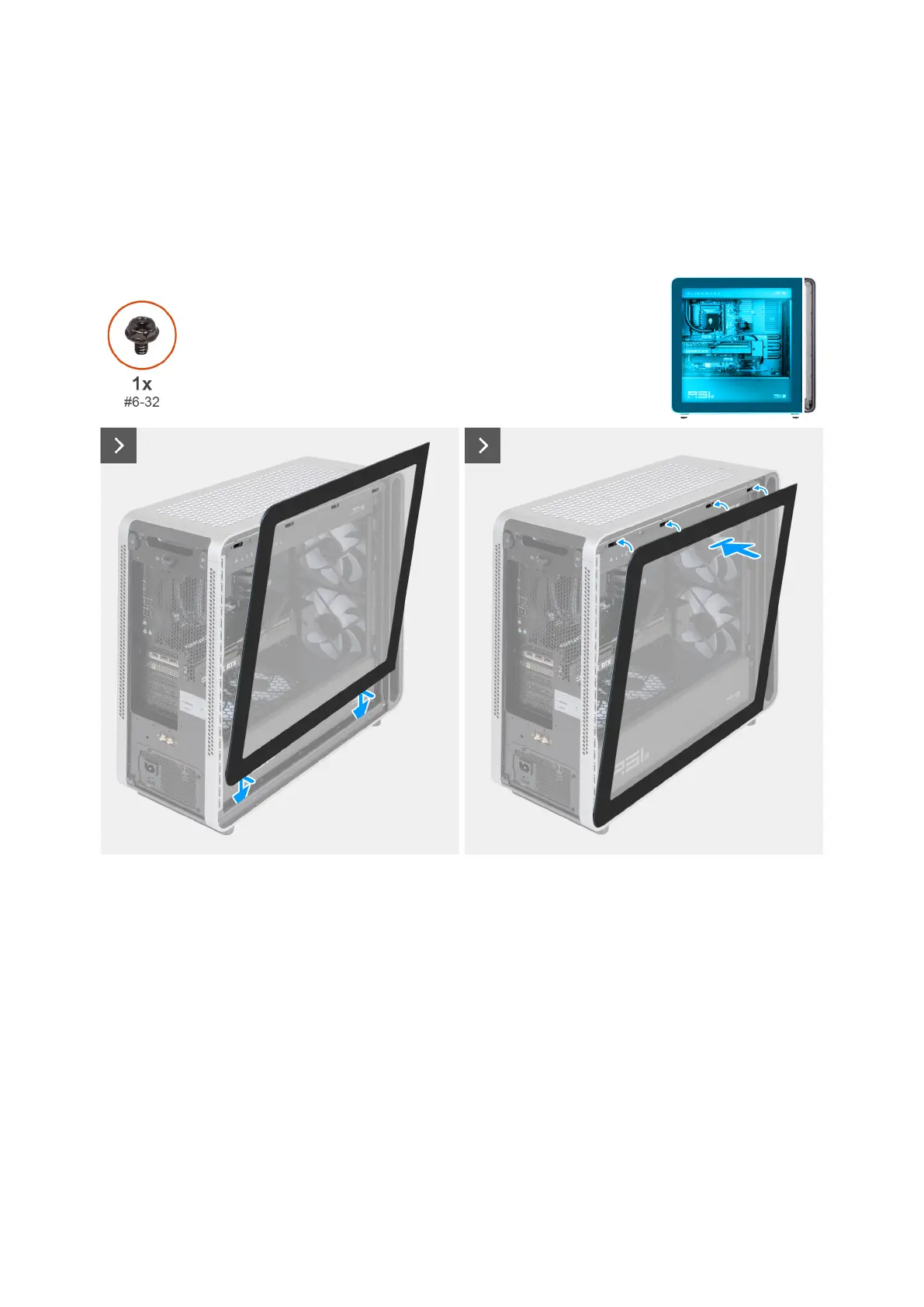
Installing the left cover
Prerequisites
If you are replacing a component, remove the existing component before performing the installation procedure.
About this task
The following images indicate the location of the left cover and provide a visual representation of the installation procedure.
Figure 41. Installing the left cover
58 Removing and installing Customer Replaceable Units (CRUs)















 To Next Page