Removing and installing Customer Replaceable
Units (CRUs)
The replaceable components in this chapter are Customer Replaceable Units (CRUs).
CAUTION: Customers can replace only the Customer Replaceable Units (CRUs) following the safety precautions and
replacement procedures.
NOTE: The images in this document may differ from your computer depending on the configuration you ordered.
Midholder
Removing the midholder
Prerequisites
NOTE: Your computer is shipped with a midholder to avoid damage to the graphics card and PCIe holder on the system board
during shipping. Remove the midholder from the computer before you turn on the computer. For more information about the
support of midholder, see midholder.
1. Follow the procedure in Before working inside your computer.
About this task
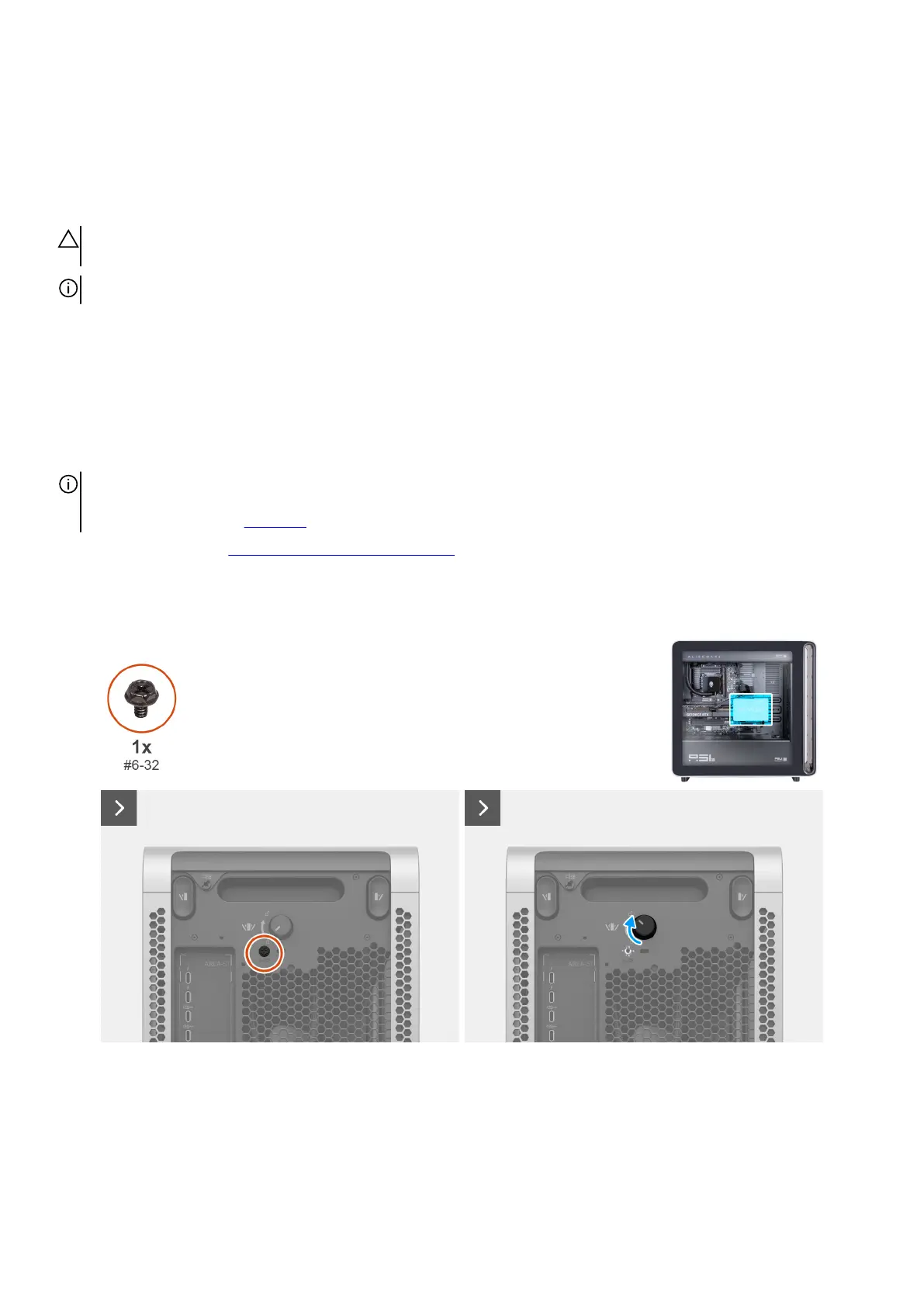
The following images indicate the location of the midholder and provide a visual representation of the removal procedure.
Figure 23. Removing the safety screw and rotating the knob
44 Removing and installing Customer Replaceable Units (CRUs)















 To Next Page