Installing the external antenna
Prerequisites
If you are replacing a component, remove the existing component before performing the installation procedure.
About this task
NOTE: This computer is shipped with an external puck antenna. Connect the external antenna during setup, to connect to WiFi
and Bluetooth. The external antenna improves the wireless communication strength and stability, while setting up your operating
system.
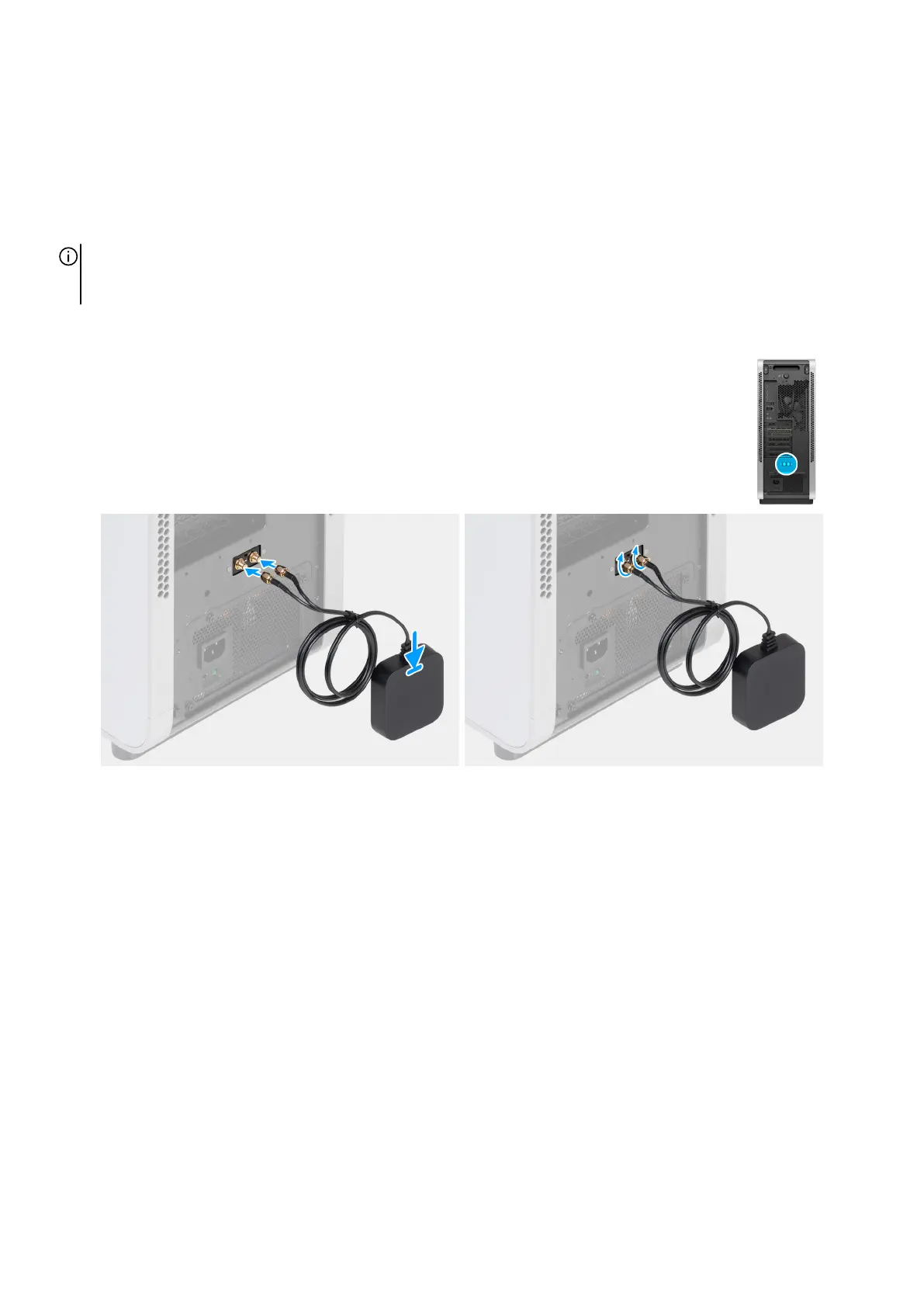
The following images indicate the location of the external antenna connectors and provide a visual representation of the installation
procedure.
Figure 28. Installing the external antenna
Steps
1. To install the external antenna, align and connect the external antenna cables to the SMA connectors on the chassis.
2. Tighten the bolts to secure the external antenna cables to the SMA connectors on the chassis.
3. Place the antenna in a suitable location.
48 Removing and installing Customer Replaceable Units (CRUs)















 To Next Page